Short answerOpen Billing. It shows your balance and total spent, a per-series breakdown with one row per episode, and a ledger of every charge, refund and grant with the series and episode attached.
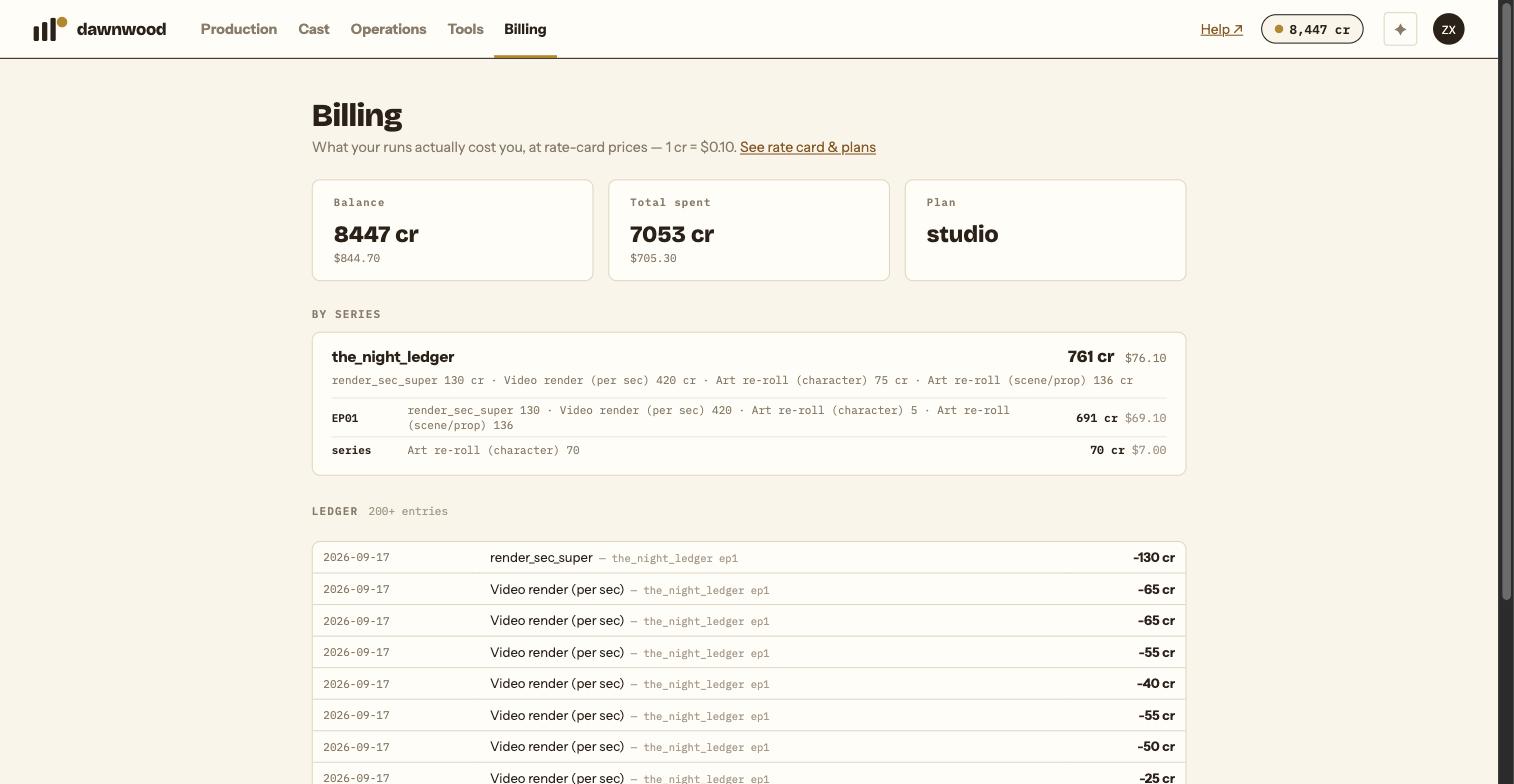
The Billing page
The Billing tab reads: what your runs actually cost you, at rate-card prices, 1 cr = $0.10. Three tiles at the top: Balance (permanent balance plus unexpired pools such as signup or plan credits), Total spent, and Plan with its renewal date.
By series
Each series has a block with its net total, a one-line breakdown by kind of action, and a table with one row per episode (EP01, EP02 …) plus a series row for spends that belong to the whole show, such as its key art. A fully refunded series is marked as such.
If more than one source has spent credits, for example the console and an agent connected with an API token, a By source block separates them.
The ledger
Every entry is one line: date, what it was, amount. Grants read Top-up / grant; refunds carry a refund suffix; each charge names the series and episode. Spends made through an API token show a via chip with the token's name. Twenty-five rows per page, newest first.
Reading a fix
A re-render of one group typically appears as one render charge for that group's seconds. If it failed, a matching refund line follows. A retake appears as a charge for the edited seconds. A language version is one 80-credit line on that episode.
Something looks wrong
Write to support with the series, the episode and the ledger line. Do not pay twice while a payment is being checked; see billing and refunds.
Still stuck? Email support@dawnwood.ai with your account email, the series, the episode and the segment or group — see what to include.