Dawnwood / Workshop / AI Drama Season
SERIES FACTORY · AUTO MODE OR WIZARD

A premise in. A season out.

Tell the story in a few lines and Auto mode films it one episode at a time, stopping for your OK before each one. Or take the run wizard through seven steps — brief, season bible, episode scripts, world pack, art gate, render, delivery. Either way the writing is free; rendering is where money enters.

bible + scripts free · render 5 cr / output second · failed renders never charged
THE FACTORY, PLAINLY 2 ways: Auto mode or the 7-step wizard free story + scripts 5 cr / rendered second 500 cr free on signup
THE POINT

Write the whole season before you spend a dollar.

What does the run wizard do? It takes a premise — a paragraph is enough — and walks it through seven steps to a finished vertical drama season: a season bible you co-write, scripts for every episode, a world pack that locks your cast and sets, an art gate where you approve the look, rendering, and a delivery pack. The writing is free. Rendering costs 5 credits per output second (Super mode 10), and 500 signup credits cover your first segment.

Starting from pages you already have? Import a finished script and keep every line, or upload a book and get a season plan with novel to series.

TWO WAYS TO RUN IT

Let it run, or steer every step.

AUTO MODE · WHERE NEW ACCOUNTS START
A few lines in, one episode at a time
Tell the story, approve the characters and the 10-episode outline, then read each episode’s script and tap to film it. Scripts, cast, sets, shots, cut, voices and captions happen on their own. Pause any time; tick Film the rest without asking to let it run. How Auto mode works →
ADVANCED · THE RUN WIZARD
Seven steps, every stage in your hands
Co-write the season bible, approve each script, lock the world pack, approve the look at the art gate, then storyboard and render shot by shot. Set the series to Automatic and the same wizard runs from brief to finished episodes on its own. The wizard, step by step →
HOW THE WIZARD WORKS

Write free. Lock the world. Then render.

01–03 · WRITE, FREE
Brief → bible → scripts
Co-write the season bible from your premise, then the episode scripts. Free accounts get the first two scripts; the rest are written after the first purchase. You keep the writing even if you never render.
04–05 · LOCK
World pack, then the art gate
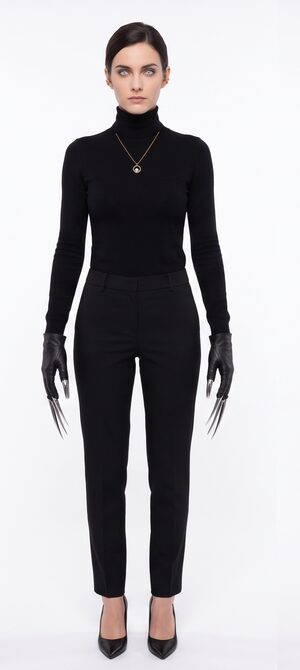
The world pack pins your cast — face, wardrobe and voice locked per character across the whole season. Nothing renders until you approve the look at the art gate.
06–07 · SHIP
Render and deliver
Rendering burns 5 credits per output second (Super mode 10) — 500 credits on signup cover your first segment, Creator at $29/mo bundles 380 a month, and failed renders are never charged. Episodes come back as a delivery pack.
GOOD TO KNOW

The parts that usually break, handled.

CAST CONSISTENCY
The same lead in episode 1 and episode 10
Face, wardrobe and voice are locked per character and held across the season — no re-rolled faces mid-story.
EN / ZH NATIVE
Write in English or Chinese
The factory is native in both — and dialogue isn’t limited to either. The dialogue language is an open set: any BCP-47 tag.
SELF-SERVE, END TO END
Brief in, season out
In Auto mode you approve the story and each script; in the wizard you write the bible with the agent and approve the scripts. Either way the studio drafts storyboards, renders, cuts and captions every episode. Platforms and brands that need a custom series produced under contract can reach us through the licensing page.
PRICING

The writing is free. The rendering is the bill.

$0 TO WRITE THE SEASON
Writing never costs credits: the season bible and the episode scripts are free (free accounts get the first two scripts, the rest after the first purchase). Sign up and 500 credits cover the bible, your cast and the first rendered segment in Super mode; from there Creator at $29/mo bundles 380 credits a month. Rendering burns 5 credits per output second (Super mode 10), and failed renders are never charged.
Start the wizard
QUESTIONS

Asked before you asked.

What's actually free?
The writing. You co-write the story or the season bible and get the episode scripts without spending credits — no card required. Free accounts get the first two scripts; the rest are written after the first purchase of any credit pack or plan. Your 500 signup credits then render the first segment; after that, credits are the only bill.
What does rendering cost?
No plan is needed to render: 500 credits on signup cover your first segment. Rendering burns 5 credits per output second (Super mode 10); Creator at $29/mo bundles 380 credits a month. Failed renders are never charged.
Will my lead look the same in every episode?
Yes. Each character's face, wardrobe and voice are locked in the world pack and held across the whole season.
What languages does it support?
English and Chinese are native. Dialogue isn't limited to either — the dialogue language is an open set, specified as any BCP-47 language tag.
Can you just make the season for me?
Dawnwood is self-serve: you write the bible with the agent, approve the scripts, and the studio renders, cuts and captions the season. Platforms and brands that need a custom series produced under contract can reach us through the licensing page (bd@dawnwood.ai).
Why not just use a clip generator (Higgsfield, Kling, Sora)?
Clip tools are great at clips — their own guidance recommends staying under ~30 seconds because character and lighting consistency degrade beyond that. A season done that way is hundreds of hand-stitched generations. Here the episode is the unit of work: cast locked in the world pack, shot chain, cut and captions shipped as one run. The sourced comparison →
KEEP GOING

A season is a lot of shots. These help.

START NOW

The bible costs you nothing but the premise.

Bring one paragraph. Leave with the story and its first scripts — and film only if the story earns it.