Short answerOn each character card choose an actor and a voice performer from your roster or the shared library; reuse is free. New face means a brand-new face is generated. An actor can hold several looks, and the one matching your series year is used automatically.
Casting is free, faces and voices are not
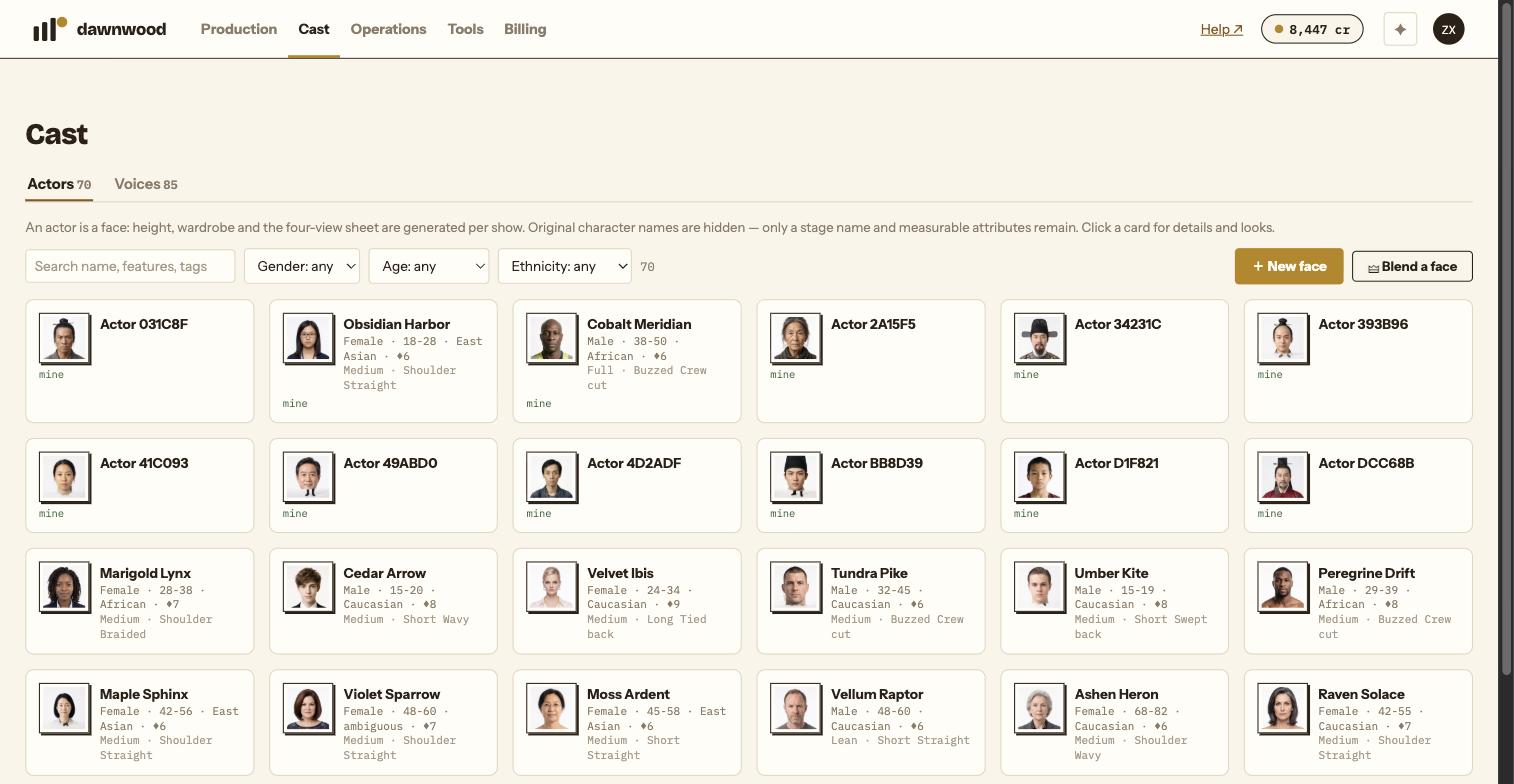
An actor is only a face. Height, wardrobe and the four-view sheet are generated per show, and the original character names an actor played are hidden; only a stage name and measurable attributes remain. A voice performer is a voice that has been listened to and tagged with timbre, register, pitch and suitable roles.
Reusing either is free and uses no voice slot. Generating a new face is billed as anchors and four-views at the art gate; designing a brand-new voice costs the voice casting price (10 cr) and should be used only when nothing in the library fits.
On the character card
- Actor: the first option is New face, followed by your own roster and a Shared actor library group.
- Voice performer: New voice, your roster, then the Shared voice library. A Voice preview player appears when the chosen voice has a sample.
- Pick from actor library (free) and Pick from voice library (free) show candidates filtered to the character's gender and age band, with Use this on each.
Your casting preference from the brief decides the starting point: library first, own roster only, or all-new faces.
Several looks for one actor
Open an actor from the Cast page and the Looks section lists its forms, each tagged as an age form or a look, up to ten. Add a look by attaching another image of the same face with a different hairstyle, age or make-up. When a character is created for a show, the look whose year matches the series year is used automatically; the card tells you when an actor has more than one.
Saving to your roster
From a character that came out well, Save as actor or Save as voice performer promotes it to your roster with a stage name (leave blank to name it from the face, or roll a random one). From the Cast page you can also Blend a face: pick a gender, optional extra features, an optional face reference and an optional hair reference, generate two candidates and Add to roster.
Real people and consent
Adult references only, with written consent. Never upload minors. Generated faces pass a "does this look like a real person" screen, and anything resembling a public figure is rejected before it reaches a render. See the Acceptable Use Policy.
Casting locks at ingest
After Confirm & ingest, casting for this run is locked. A change later means new anchors and sheets for that character, so decide here.
Still stuck? Email support@dawnwood.ai with your account email, the series, the episode and the segment or group — see what to include.