Short answerGive feedback for anything about the story, because one line rewrites the whole bible coherently. Edit by hand only for small factual fixes. Every version is kept, and you can view or compare any of them.
Two ways to change the bible
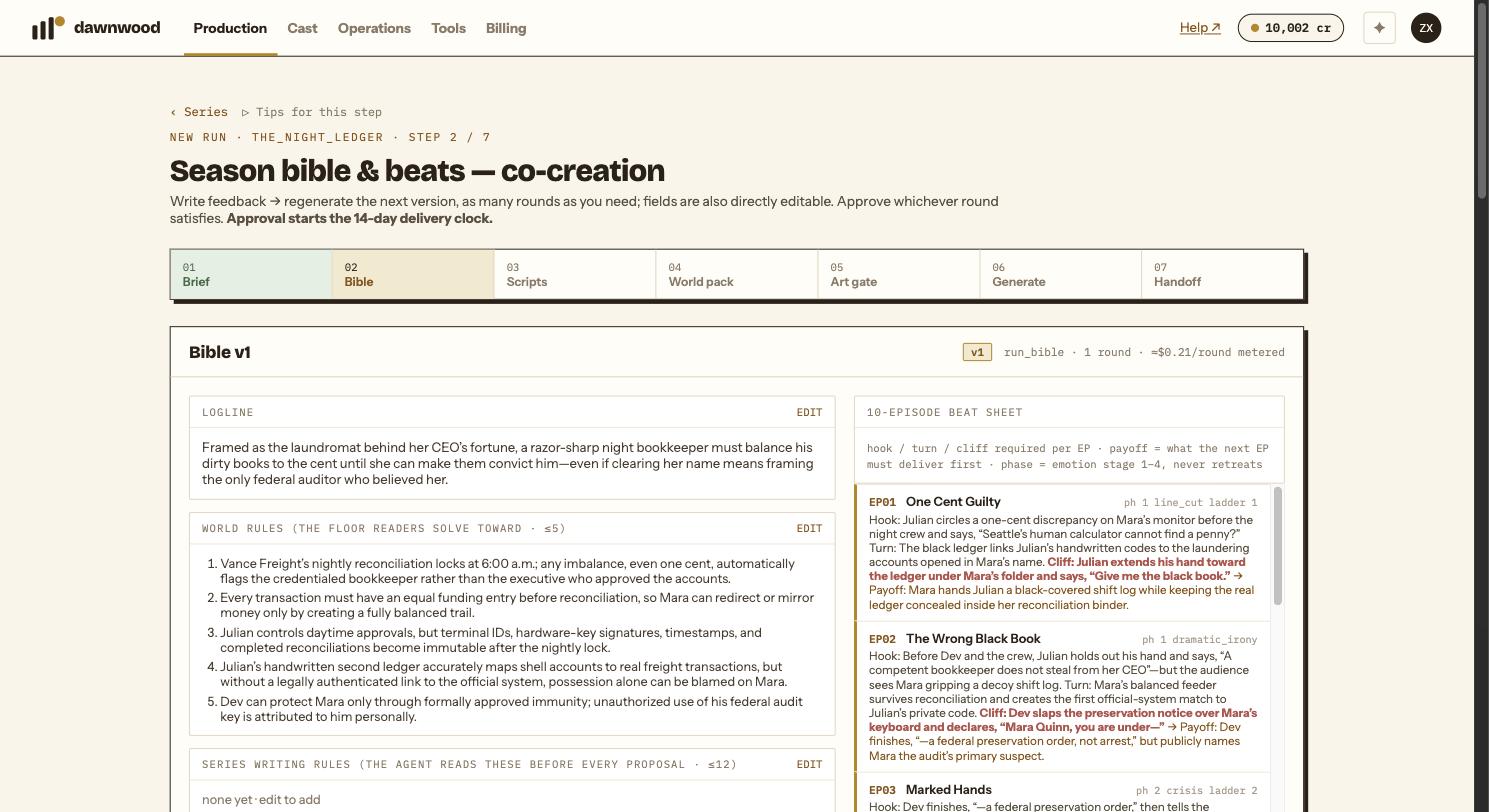
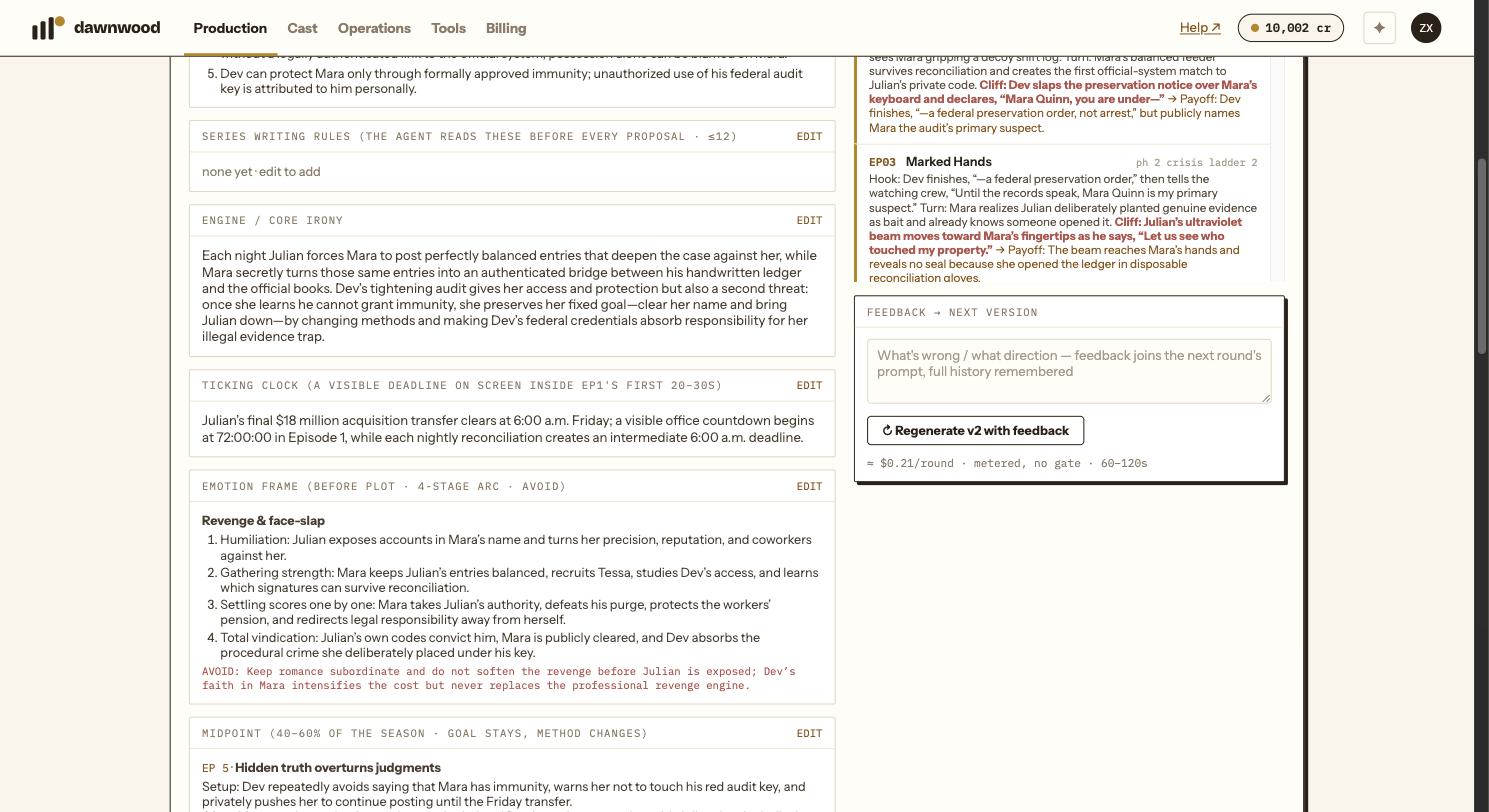
Feedback → next version. The feedback box at the bottom of the bible step takes a line or a paragraph: what is wrong, or what direction to take. Click Regenerate v2 with feedback. The whole bible is rewritten with your note and all previous notes in the prompt, so the logline, the cast, the reveal ladder and the beat sheet stay consistent with each other. A round takes one to two minutes and is free. Prior notes stay visible under prior notes.
Edit. Each block has an Edit button and Save edits (new version). Use it for a name spelling, a place name, one line in the world rules. Hand edits do not propagate: if you change the villain's motive in the cast block, the beat sheet still assumes the old one.
The rule of thumb printed on the step: don't hand-edit, give feedback. Hand edits are for small fixes.
Versions and rollback
Every regeneration and every saved edit is a new version. Version chips v1 v2 v3… sit above the bible; a pencil mark means a human edit. Click any chip to read that version. diff vs v(n-1) shows exactly what changed between a version and the one before it, field by field. When a bible has more than eight versions the chips collapse into a dropdown listing all of them.
There is no separate "revert" button: to go back, open the version you prefer and approve or continue from it, or copy what you liked into a feedback note for the next round.
What the blocks mean
- Logline and Engine / core irony: the show in a sentence, and the contradiction that keeps it running.
- World rules: up to five hard rules of the world. Readers solve toward these.
- Series writing rules: up to twelve rules the writers and the Line Producer read before every proposal.
- Ticking clock: a visible deadline inside the first 20 to 30 seconds of episode one.
- Emotion frame, Midpoint, Cast, Reveal ladder, Plants ledger: the season's emotional arc, the mid-season turn, who wants what, what the audience learns when, and which setups pay off where.
- Beat sheet: one row per episode with hook, turn, cliffhanger and payoff.
Validation errors
If a saved edit breaks a rule, for example more than five world rules or a missing logline, the save is refused and the fields are listed. Fix them and save again.
Still stuck? Email support@dawnwood.ai with your account email, the series, the episode and the segment or group — see what to include.