Short answerThe in-story year drives every costume, set and prop the renderer draws. A wrong or missing year sends the whole series to the wrong century, and episodes already rendered keep their look.
What the year does
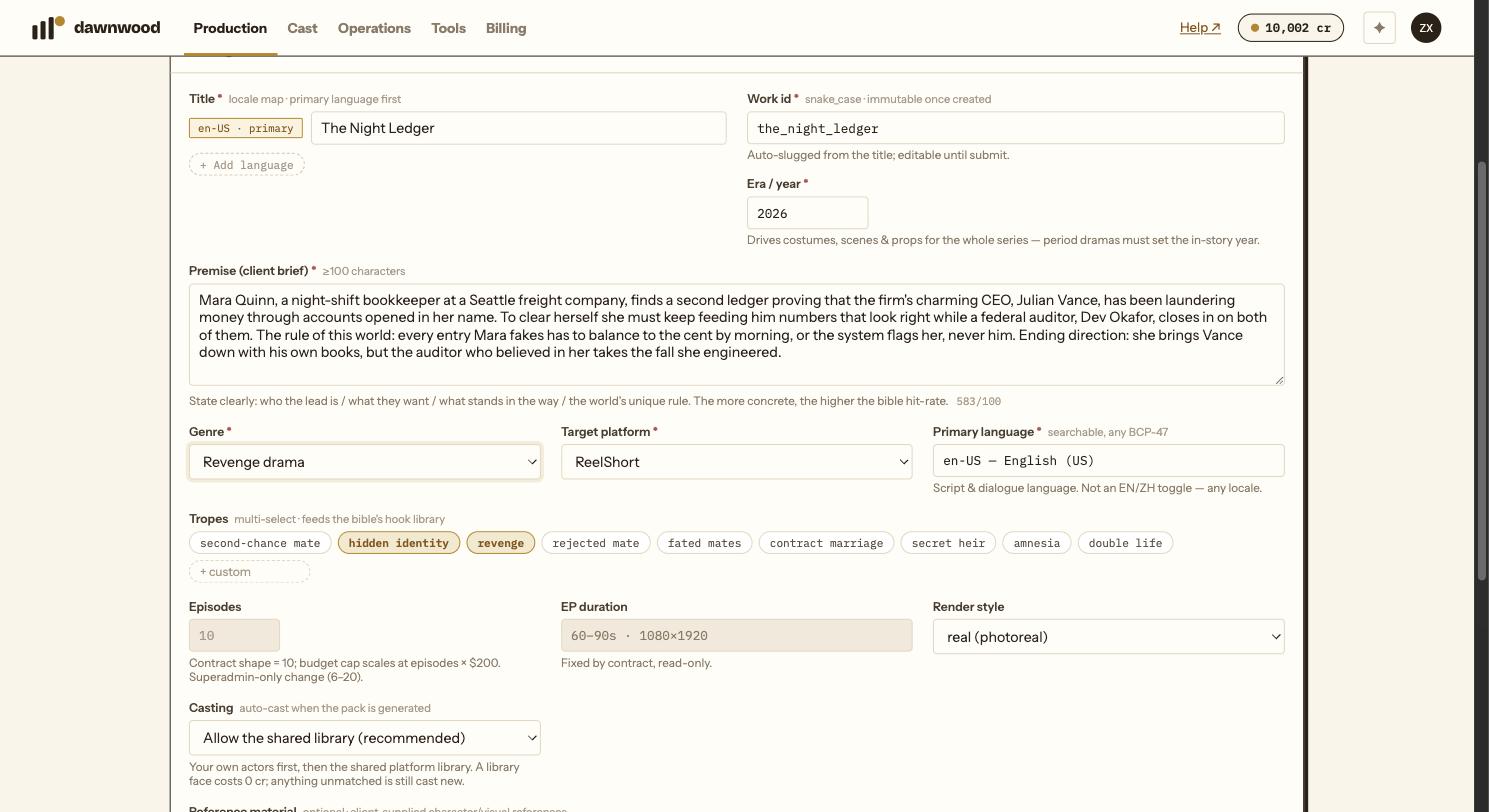
The Era / year field on the brief is the single date the whole production reads. Character anchors, four-view sheets, scene sheets, props and every rendered shot are prompted with it. A period drama set in 1587 gets Ming attire, lamps and furniture; a drama set in 2026 gets phones and cars.
The field is required. The wizard will not let you submit a brief without a numeric year, and it is deliberately not prefilled: a default year is exactly how a period show ends up in modern dress.
What goes wrong when it is off
We have watched it happen. A series written as a Ming-dynasty story but created without a year was rendered as if it were set today: the first two episodes looked right because the writers had described period costume shot by shot, and from episode three the cast appeared in modern clothes. Nothing in the scripts had changed; the renderer simply had no era and used the present.
The costume drift is only the visible part. Sets, props, vehicles, lighting and even gestures follow the same date.
Episodes already rendered are safe
The year is read at render time. Correcting it changes every render from that point on and leaves finished takes untouched. You do not have to re-render episodes that already look right.
How to fix a series that is already drifting
- Check the year shown on the brief card at the top of the wizard. The brief itself cannot be edited after submission, but the year that production reads can be corrected. If your series was created before the year became mandatory, write to support with the series name and the year; it takes a minute.
- Once the year is right, ask the Line Producer to re-render the groups that show the wrong era, or re-render them from the Render page. Character anchors that came out in the wrong period can be redrawn from the Cast page.
- Check the world pack's appearance notes: if someone wrote "wears a hoodie" into a Ming character, the year will not save it. See what to write in appearance notes.
Writing the year
Use a plain number: 1587, 1920, 2026. Add the dynasty or decade in the premise if it helps the writers, but the number is what the renderer reads.
Still stuck? Email support@dawnwood.ai with your account email, the series, the episode and the segment or group — see what to include.