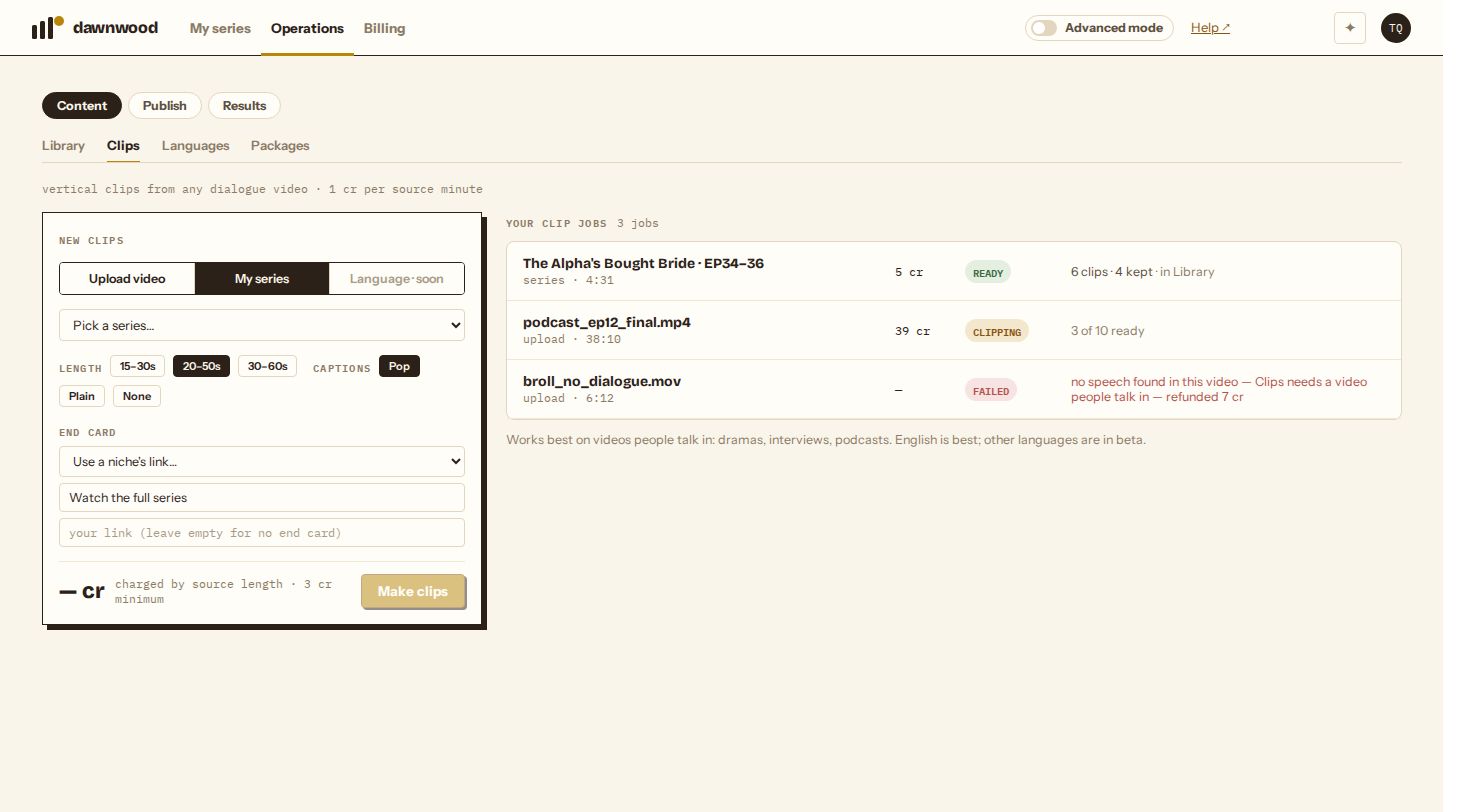
Short answerOpen Operations › Content › Clips, upload a video people talk in (MP4 or MOV, up to 60 minutes) or pick up to 12 finished episodes of your series, choose a clip length, captions and an end card, and click Make clips. A few minutes later you get a ranked set of vertical clips with captions. It costs 1 credit per minute of source video, 3 credits minimum, and a job that produces no clips is refunded.

What Clips is for
Clips finds the moments in a long video that work on their own: a confrontation, a reveal, a punchline, an emotional peak. It cuts each one into a vertical 9:16 clip with captions and, if you want, an end card pointing to your link. Use it for traffic clips on TikTok, Reels and Shorts.
It needs dialogue. Clips reads what people say to find moments, so music videos or B-roll with no speech fail with "no speech found" and are refunded. English works best; other languages are in beta.
Two kinds of source
- Upload video: any MP4 or MOV up to 1 GB and 60 minutes, such as a drama episode made elsewhere, an interview or a podcast. Landscape video is fitted into 9:16: the picture sits in the middle at full width and a blurred copy of it fills the space above and below, so nothing is cropped or stretched.
- My series: pick up to 12 finished episodes of a series you made in Dawnwood. Clips works from the clean cut of each episode (no end card, no burned subtitles), reads the script for the lines, and snaps every cut to a real shot change, so a clip never opens or ends mid-shot.
Settings
- Length: 15–30 s, 20–50 s (default) or 30–60 s per clip.
- Captions: Pop (one or two words at a time, timed to the speech, the TikTok style), Plain (full lines) or None. You can change this per clip later.
- End card: a 3-second card after each clip with your text (default "Watch the full series") and link. Leave the link empty for no card. If you post through niches, Use a niche's link… fills in that niche's link.
What you get back
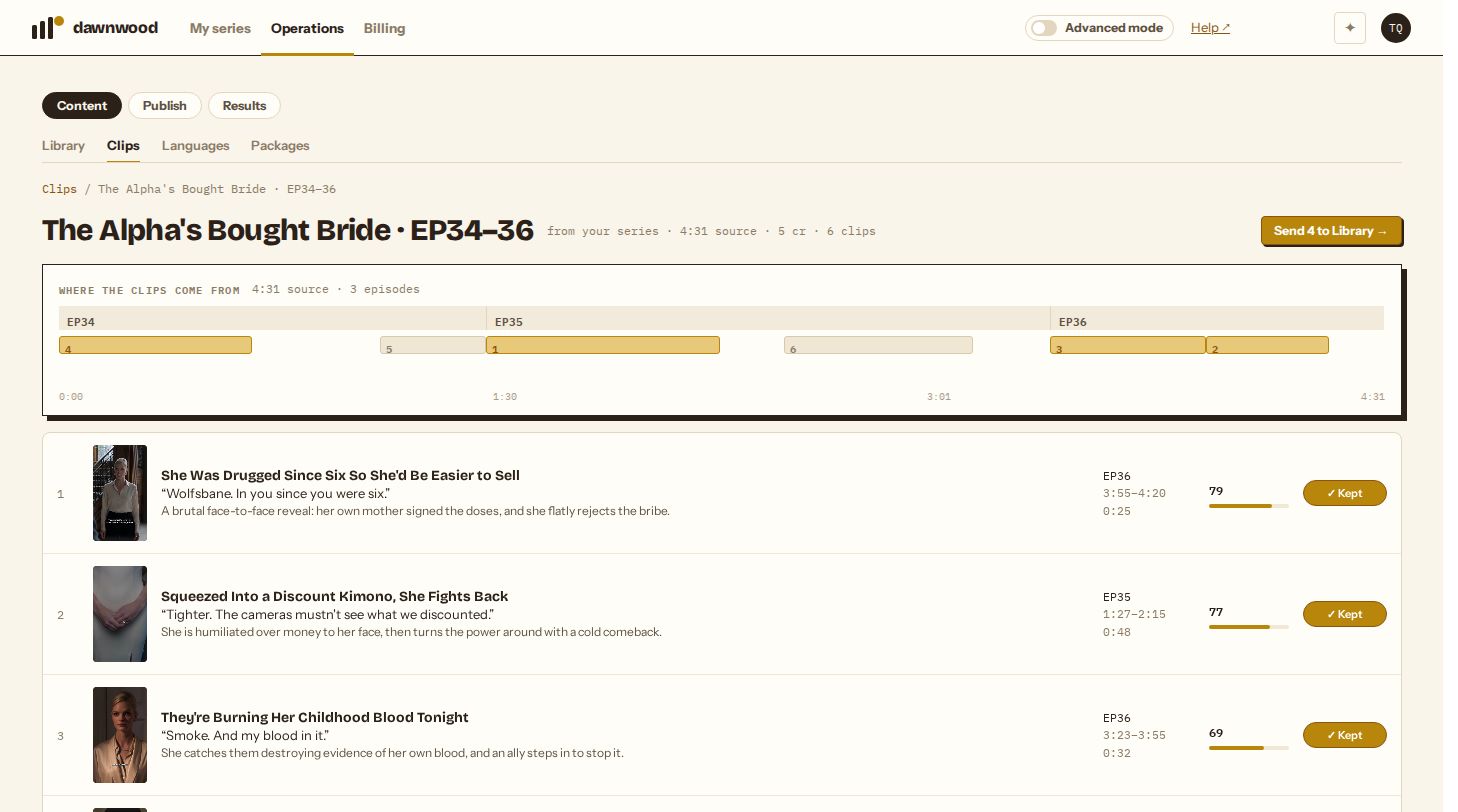
A job page with a timeline of where every clip comes from in the source, and a list ranked by score. Each clip shows its title, the line it opens on, and why it was picked. A reviewer model scores every clip on conflict, reveals and suspense, and flags clips that give away an ending as spoiler. The best few non-spoiler clips are marked Kept; you decide the rest. See reviewing and editing clips.
How long it takes
Usually a few minutes for a few episodes or a 10-minute video, longer for a 60-minute upload. You can leave the page; the job keeps running and the clips are waiting when you come back.
Price
1 credit per minute of source video, rounded up, with a 3-credit minimum. The first second over a whole minute is free, so a 3:00.4 upload is billed as 3 minutes. The charge is made once the source is prepared and its length is known. A job that ends without a single clip is refunded in full, and re-rendering a clip after you edit it is free.
| Source | Credits |
|---|---|
| 2-minute video | 3 (minimum) |
| Three episodes, 4:31 total | 5 |
| 38-minute podcast | 38 |
From an agent
Over MCP, upload_video then clips_create starts a job and clips_get_job returns the clips. See what your agent can do over MCP.
Still stuck? Email support@dawnwood.ai with your account email, the series, the episode and the segment or group — see what to include.