Short answerOperations is laid out in the order you work after an episode is finished. Content holds your footage and what you make from it (Library, Clips, Languages, Packages). Publish puts it on your accounts (Queue, Accounts, Niches, Inbox). Results shows what worked (Overview, By series). The old Channels page is now Publish › Queue, Deliveries is Content › Packages › Delivery pack, and Performance is Results › By series.
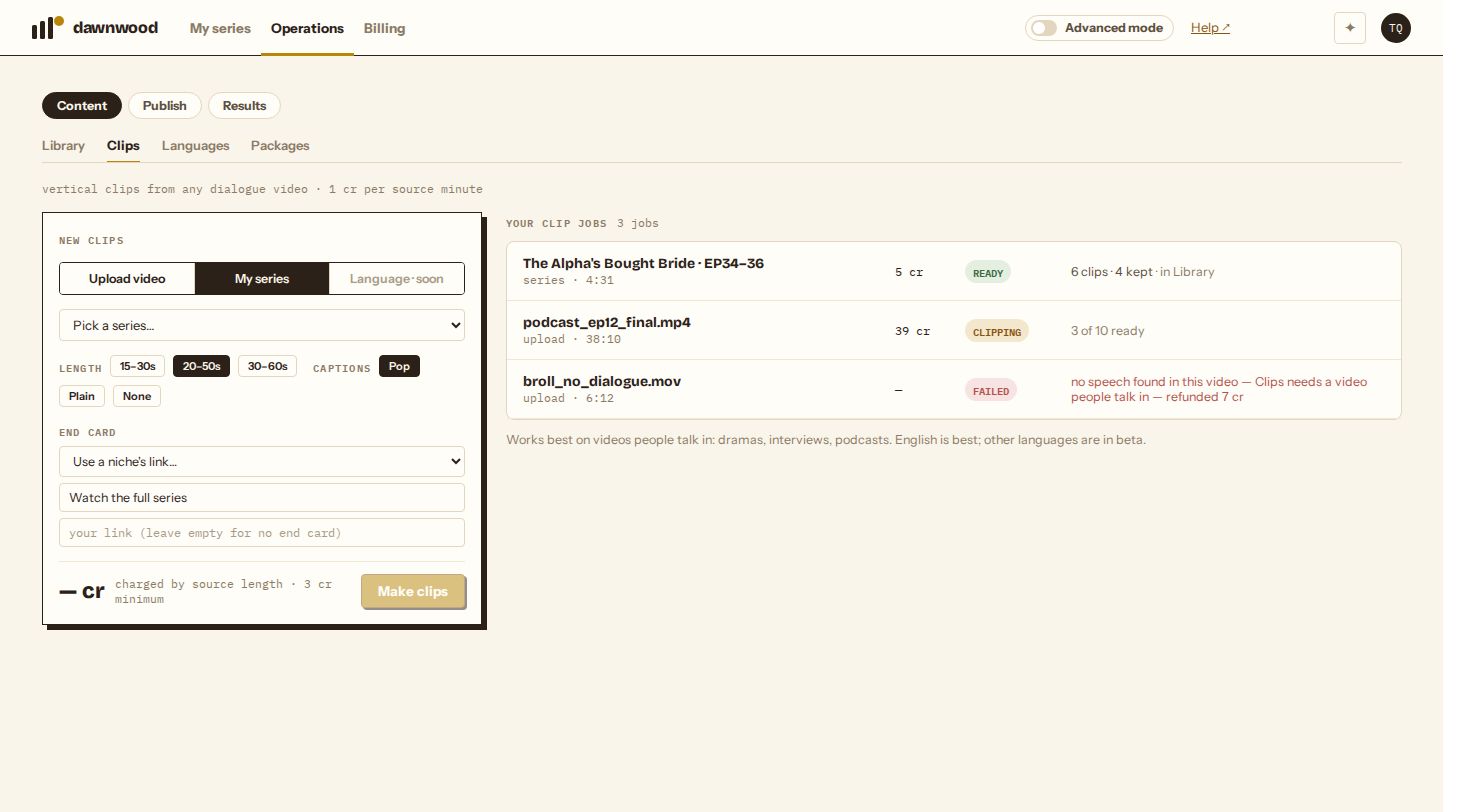
Three stages, in the order you work
The top of Operations has three buttons. Each one opens a row of tabs underneath.
| Stage | Tabs | What you do there |
|---|---|---|
| Content | Library · Clips · Languages · Packages | Collect footage, cut clips, make dubbed versions, build packages for a platform or a buyer |
| Publish | Queue · Accounts · Niches · Inbox | Connect accounts, group them, schedule posts, fix what breaks |
| Results | Overview · By series | See what is working per account and per series |
Library and the multi-account Publish tabs appear once publishing is enabled for your workspace. Without it, Publish shows a single Queue for the series you post from Production.
Content
- Library is the source of everything you post: episodes from your series, videos you upload, clips, and language versions.
- Clips turns any video people talk in, or episodes of your own series, into vertical clips with captions. See how Clips works.
- Languages makes dubbed, lip-synced versions of whole seasons. See language versions.
- Packages builds the same finished cut into the shape a destination wants. Drama Center checks and packages a season for TikTok Drama Center (see the Drama Center check). Delivery pack gathers masters, clean masters, subtitles and covers for a buyer or licensee (see downloading your episodes).
Versions for each social platform (cover frame, cover opening, thumbnail) are made automatically when a post goes out, so they have no tab of their own.
Where the old pages went
| Old name | Now |
|---|---|
| Channels | Publish › Queue (posts) and Publish › Accounts (connected accounts) |
| Deliveries | Content › Packages › Delivery pack |
| Performance | Results › By series |
| Languages | Content › Languages |
| Drama Center | Content › Packages › Drama Center |
Old links to #languages and #drama-center still open the right page.
Which page opens first
The console still opens on your series. Operations opens on Results › Overview when publishing is enabled, and on Publish › Queue otherwise, the same as before the reorganisation.
Still stuck? Email support@dawnwood.ai with your account email, the series, the episode and the segment or group — see what to include.