Short answerOpen Tools › Action Remake, pick a fight move from the library or upload your own fight clip, and cast it with your characters. A move is a 4 to 15 second fight shown as a faceless 3D motion-capture preview, so only the choreography carries over. Dawnwood renders your characters doing that exact fight, with the same timing, blocking and camera moves and your faces, costumes and setting. You can compare the result side by side with the move, download it, send it to the editor or use it in your drama. Your first clip with a library move of up to 6 seconds is free; after that it costs 6 credits per second, counting the move and your result.
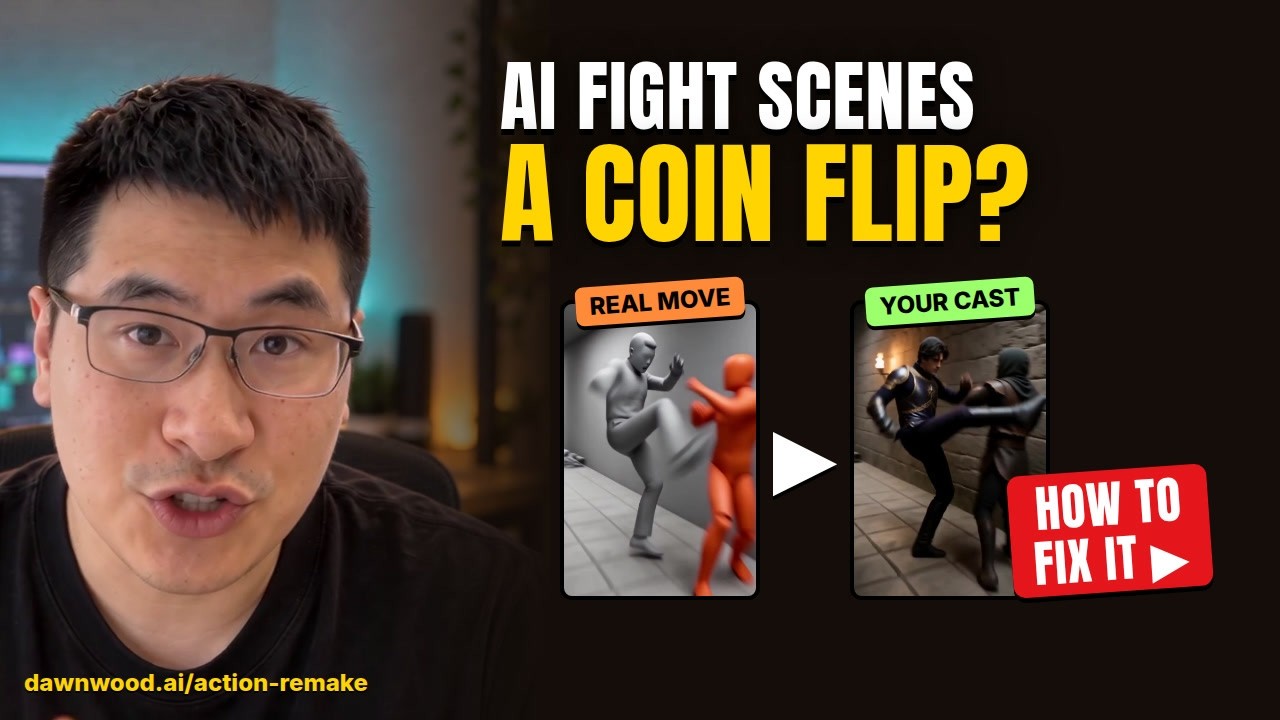
What Action Remake does
Fight scenes are the hardest thing to get from a text prompt. A prompt can describe a punch, but not where every body stands, which way the camera moves or on which frame the hit lands. Action Remake takes the choreography from a real fight instead, and the look from you.
- The move gives the motion: who strikes, who falls, in what order and on which beat, where each fighter stands, and how the camera pushes, whips and cuts.
- Your cast gives the look: faces and outfits come from your character images, and the setting and light come from your description.
The result is your characters doing that exact fight, shot for shot.
Picking a move
Open Tools › Action Remake. The move library lists fight moves of 4 to 15 seconds, with the number of fighters, the weapons and the camera style. Every move plays as a 3D motion-capture preview: an orange mannequin for the hero, grey mannequins for the opponents, on a plain grey set. The mannequins have no faces, and nothing from the original footage other than the motion reaches your result.
Library moves are already converted, so you can cast and render one straight away.
Uploading your own fight
Have a fight you want to reuse? Upload a fight clip you own or have the rights to use. Dawnwood splits it into moves at the cuts, and you choose which ones to keep. Each move you keep is converted into a 3D motion-capture preview, the same kind as the library moves, and you cast it the same way.
Do not upload footage you are not allowed to use. Converting to a mannequin preview removes faces and costumes, but the rights to the original clip are still your responsibility.
Casting your characters
Each move has slots: the hero (the orange mannequin) and the opponents (the grey ones). Fill them with:
- character images you upload, one per character or one for a group of look-alike opponents, or
- characters from a series you made in Dawnwood, which brings their reference images with them.
Then describe the setting: the place, the time of day and the light, for example "torch-lit stone corridor in a castle, night". Keep the setting close in shape to the move's set. A narrow corridor move works best in a narrow corridor.
The result
Your result has the same length as the move. When it is ready you can:
- play it,
- compare it side by side with the move, so you can see the beats line up,
- download it,
- send it to the editor, to cut it into the scene around it,
- or use it in your drama, next to the shots you made in Dawnwood.
Bodies and costumes are not the same shape as the mannequins, so small details such as a hand position can shift. If a beat drifts, render again or pick a move whose blocking is closer to your scene. Adding sound afterwards? Run Auto Sound on the finished cut for hits, falls and a score.
Price
Your first clip is free if it uses a library move of up to 6 seconds. After that it is 6 credits per second, counting both the move's reference clip and your result, paid from credits you bought or got with a plan (the signup bonus is kept for making a series). Converting your own uploaded fight into a 3D move is 15 credits per second of the clip you convert, once per clip; library moves are already converted and cost nothing to convert. 1 credit is $0.10.
| Clip | Credits |
|---|---|
| Your first library move, up to 6 seconds | 0 |
| A 6 second library move, 6 second result | 72 |
| A 13 second library move, 13 second result | 156 |
| Your own 10 second fight, converted to a 3D move | 150 |
| Then rendering that 10 second move | 120 |
See which actions cost credits for every other rate.
Still stuck? Email support@dawnwood.ai with your account email, the series, the episode and the segment or group — see what to include.