Short answerThe Line Producer is the on-set agent in the console (⌘J). It drives a series from brief to rendered episodes, fixes shots, redoes covers, proposes script rewrites and writes synopses and captions. It will not approve your bible or scripts, will not publish, and never talks about prices.
Where it lives
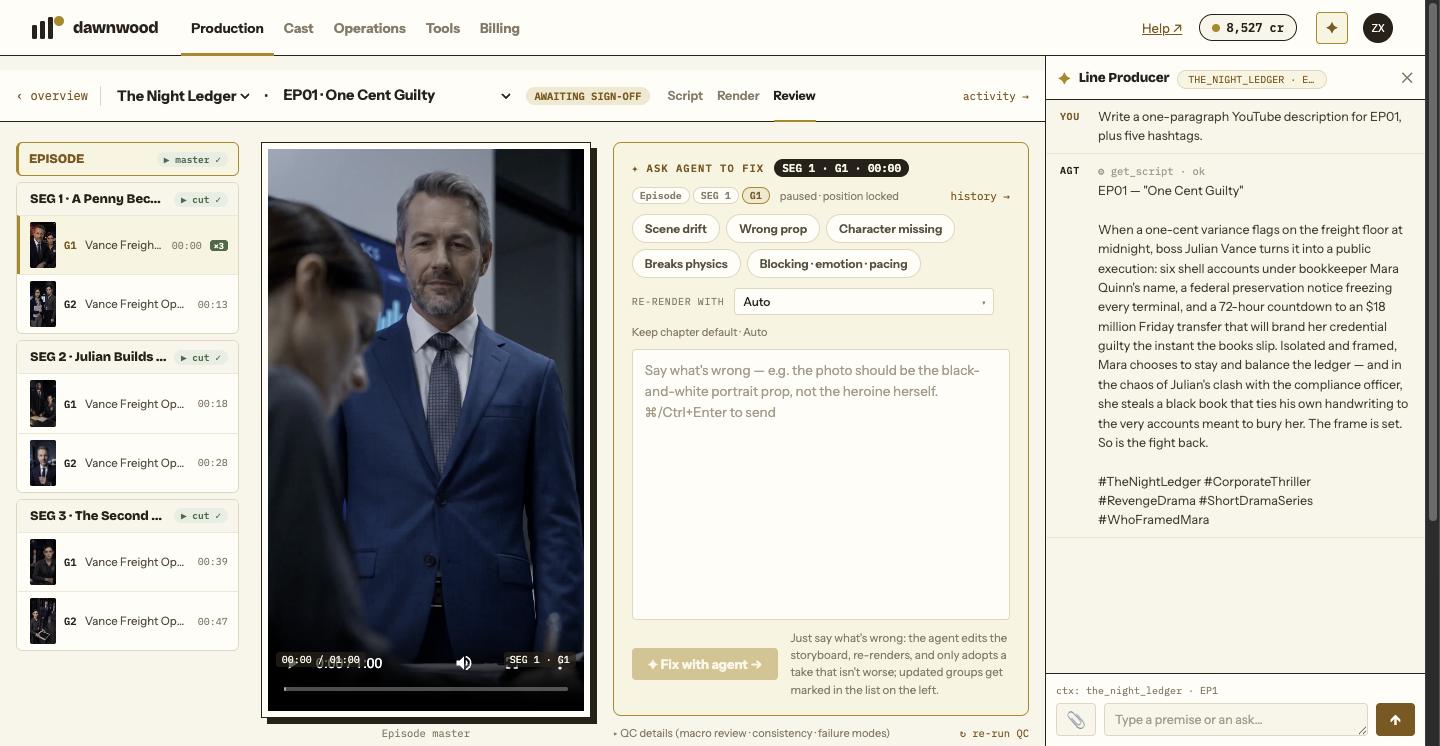
Open it with the icon in the top bar or ⌘J. It docks on the right of the console. Conversations are kept as threads, one per series and episode; the selector at the top reads MY_SHOW · EP3 ▾. Open an episode and the matching thread opens with it. A chip under the input shows what the agent currently sees: my_show · EP3 · SEG2 · G1.
What it does
Writing and set-up
- Create a series from a premise, draft and rewrite the bible, run the script chain, rewrite a script.
- Propose a script change as a diff you Apply or Reject; nothing is written until you apply.
- Draft, edit and commit the world pack; estimate and generate art; fix or redraw a prop.
- Write an episode synopsis, a YouTube or TikTok description, titles, hashtags or a logline from the script and bible. That is writing, so it is in scope; it will not post any of it.
On set
- Render an episode end to end, report status, stop a running pipeline when you ask.
- Fix shots: local edit of some seconds (retake), re-render one shot, re-render a group, split a shot into its own group, insert up to six new beats as a new group, replace an insert shot's picture with a still, grab a frame as a reference, rewrite a shot's text.
- Adopt a take as the group's pick, or borrow a take from an archived storyboard version for free.
- Run a three-stage episode audit that returns a defect list (15 cr).
- Redo an episode cover, or generate covers for every episode that lacks one.
- Cast actors and voices from your roster or the shared library, save a face or voice to your roster.
Finished renders post back into the same chat with the result and buttons to adopt or roll back; you are never sent to the console to check.
What it refuses
- Approving. Bibles and scripts are approved by you. It hands you a link and waits.
- Publishing and delivery. Its scope ends at rendered episodes and review help. Connect channels and publish yourself; see publishing.
- Talking money. It never quotes prices or credit amounts and never asks you to confirm a spend in cash terms. Costs are metered at the rates in what costs credits. The one exception: when a step fails for lack of credits it says so and points you to the plans page.
- Naming vendors. It describes work as "a local video edit of that shot" or "a full re-render of the group", not by engine brand.
- Spending blindly. It only touches the groups you pointed at, never re-renders accepted siblings "just in case", and stops after two failed attempts on the same target to ask you. See why it stops to ask.
Language
Chat in any language. Storyboard, script and shot text are always written in the series' own language.
Errors you may see
"Something failed on my side (…). Try again, or rephrase." carries the raw error in the brackets; a retry usually clears it. "Not enough credits for that" means top up and reply "retry". See common errors.
Still stuck? Email support@dawnwood.ai with your account email, the series, the episode and the segment or group — see what to include.