In shortA Seedance 2.0 prompt that works for drama names who is in the frame and which reference image is theirs, says who speaks each line and to whom, gives every cut one camera move and one direction of motion, and describes only what is on screen. Keep one generation to a few beats and at most two speakers, never ask for readable text, and give multi-character shots a rule that each person appears once. Below are the template, example prompts and a fix table from our own production.
What this guide is based on
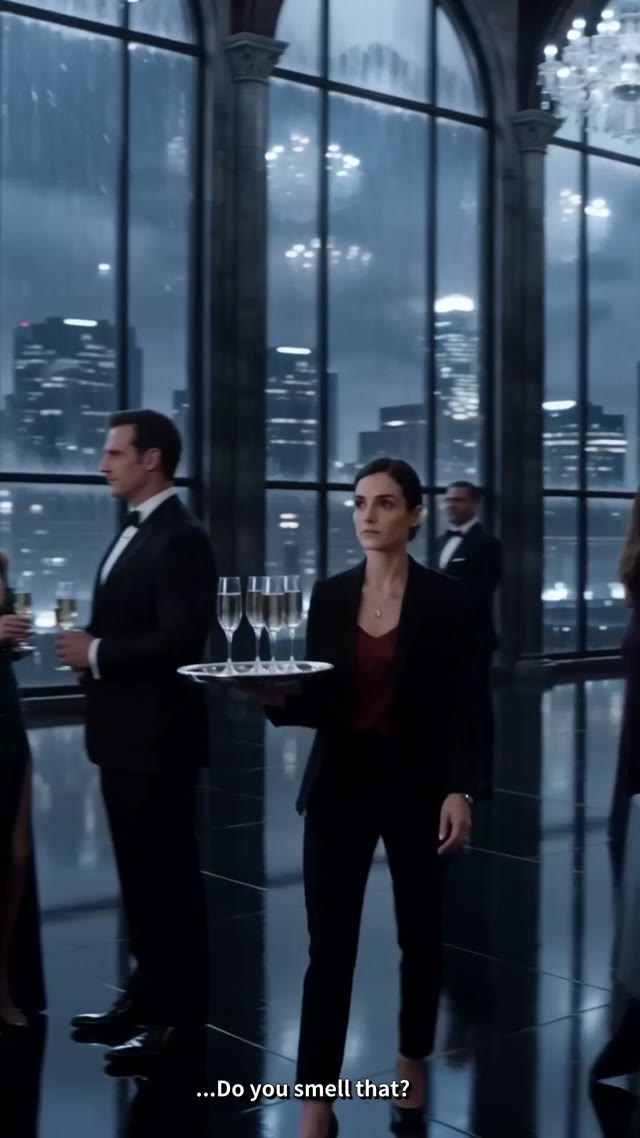
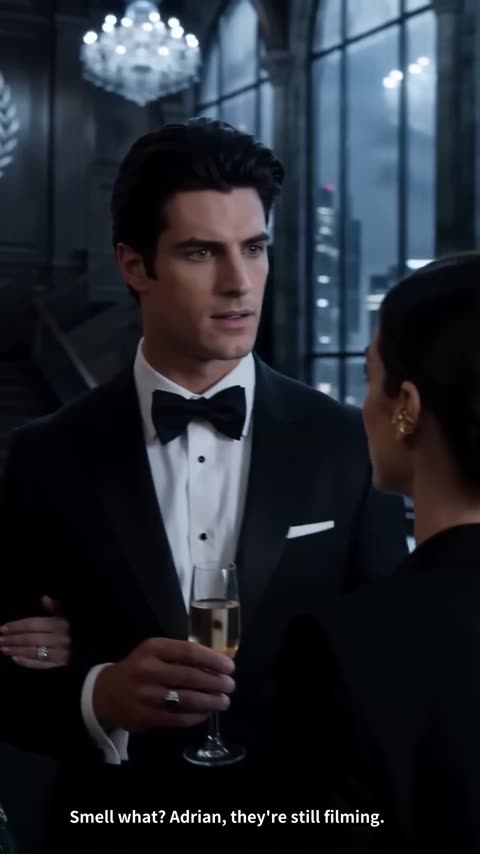
Dawnwood is a studio that makes AI vertical dramas and a console that makes them for other creators. Every shot in our released series was rendered on Seedance, and the prompt for each one is written by a pipeline that has been corrected shot by shot as things broke. This guide pulls the rules out of that pipeline so you can use them by hand.
Two kinds of advice appear below, and we label them:
- General: how Seedance prompting works for anyone, and what our prompt builder writes into every shot.
- Our observation: what we saw go wrong in our own renders. It is one studio's experience, not a ByteDance rule.
This is a prompt guide, not an access guide. If you still need somewhere to run the model, see where to use Seedance 2.0.
The template at a glance
A drama prompt has more jobs than a mood prompt. It has to pin faces to references, keep the room in place, say who talks, and keep the model from inventing extra people. This is the order our builder writes things in, shortened for hand use:
CORE: photorealistic live-action | cinematic | fine film grain | 9:16 vertical short.

SCENE (@Image1): [the location, one or two sentences].
CHARACTERS: @Image2 is [Name A, short look: age, hair, outfit]. @Image3 is [Name B, short look].
IN THE PICTURE: only [A] and [B]. Nobody else appears.
TIME OF DAY: [night]. WEATHER: [light rain, if outdoors].

This is ONE continuous [N]-second segment with [K] hard cuts, in this order:
Cut 1 ([shot size]): [action, one direction]. FACE: [physical expression].
  [A] speaks this line to [B]: "[line]". Only [A]'s lips move.
Cut 2 ([shot size]): ...

CONTINUITY: each character matches their reference sheet in every cut.
With several characters in frame, each appears exactly once per cut; left/right placement stays the same.
CAMERA: [one move per cut].
DIALOGUE: every spoken line is lip-synced to its speaker.
Audio: only the spoken dialogue and natural ambience. No background music.
No on-screen text, subtitles or watermark.
The @Image1, @Image2 tokens refer to the reference images you upload, in order. Put the location first and the people after it, and use the same token for the same person in every line of the prompt.
The rules behind the template
Pin every person to a reference image
General. Reference images lock the look far better than words. Our builder tells the model that face, build and costume come from the sheet, while the expression in each cut comes from that cut's direction, never from the sheet's neutral face. If you skip the second half, characters tend to hold the same blank look as their reference. For how to build the sheets in the first place, see character consistency across episodes.
Say who is in the picture, and that nobody else is
Our observation. A name mentioned in dialogue gets drawn. If the line is "Your father knows," the model may put a father in the doorway. Our prompts list exactly who is in frame and state that anyone else the dialogue names is talked about, not present. If you do want a crowd, say so and keep it in the background: unnamed, out of focus, never speaking.
Give multi-character shots an anti-clone rule
Our observation. With two or more characters, Seedance sometimes renders two copies of one reference or lets one person's hair or outfit bleed onto the other. Our pipeline adds this line to every group with two or more characters:
With several characters in frame, each listed character appears exactly once per cut, matching only their own reference sheet, never two people with the same face or outfit; left/right placement stays consistent across cuts.
It also helps to give each person a short, distinct description next to their token (age, hair colour, outfit), especially when two characters share a gender.
Name the speaker and the listener on every line
General. "They say" is not enough when two people are in frame. Our builder writes "[Name] speaks this line: ... only [Name]'s lips move; everyone else keeps their mouth closed and listens," plus the speaker's short look so the model cannot swap them.
Our observation. Every spoken line also needs an addressee. When the prompt does not say who hears the line, the speaker tends to talk to the lens or to whoever happens to be nearest. Write the listener into the action ("she says it to Daniel, eyes on him") and keep a single speaker's eyes past the frame edge, not on the lens, unless you really want direct address.
Keep each generation small
Our observation. Long prompts lose their tail. In our pipeline one generation carries at most seven beats; past that the engine drops the last ones. Dialogue groups carry at most four spoken lines and at most two speakers, because with three or more speakers lines get dropped or improvised. A dialogue group longer than about 20 seconds drifts in its back half. And do not put the most important line or hit on the very last beat of a long group, because the tail is where the model compresses.
One camera move, one direction of motion
General. BytePlus's ModelArk guidance for Seedance 2.0 is one camera move per shot, and our pipeline warns when a beat asks for two. Our prompts also tell the model that within each cut all movement runs one way: no advance then retreat, no nod then shake. Chain two or three same-direction actions to fill a cut, and let the camera land on a definite end frame.
Describe what is there, not what is not
Our observation. The model draws objects it reads, even inside "no" or "without." "She is not wearing her cloak" can put the cloak back on. Our preflight check flags props named inside a negation for this reason. Rewrite to the positive state: "her shoulders are bare, the cloak hangs on the chair" if you want it in the room, or simply leave it out.
Write faces as muscles, not adjectives
General. "Sad" gives you a generic sad face. Our builder replaces emotion labels with physical recipes, for example "mouth corners lift a few millimetres without showing teeth, cheeks rise slightly, the eye ring tightens so the smile reaches the eyes." Do the same in your FACE lines.
Keep music out of the clip
General. Our prompts ask for dialogue and ambience only, with no score, because music is added in the edit and a generated soundtrack changes from clip to clip. When a group has no dialogue, we say explicitly that nobody speaks, shouts or calls out; our observation is that a silent fight otherwise gets invented shouting.
Example prompts
These are written in the same shape our pipeline uses. Swap in your own names and references.
A dialogue close-up
CORE: photorealistic live-action | cinematic | fine film grain | 9:16 vertical short.
SCENE (@Image1): a dim hospital corridor at night, vending machine glow.
@Image2 is Mara, early 30s, dark bob, grey trench coat. @Image3 is Daniel, 40s, white shirt, loosened tie.
IN THE PICTURE: only Mara and Daniel. Nobody else appears.
This is ONE continuous 8-second segment with 1 hard cut:
Cut 1 (close shot on Mara, chest-up, the corridor soft behind her): Mara steps toward Daniel just off-frame.
  FACE: brow gathers slightly without knotting, jaw tight, eyes locked on him.
  Mara speaks this line to Daniel, in English: "You signed it before you called me." Only Mara's lips move.
Cut 2 (close shot on Daniel): Daniel lowers his eyes and turns his face away from her.
  FACE: lips pressed flat, a slow breath out through the nose.
CAMERA: cut 1 slow push in; cut 2 static.
Pace: the line is delivered at a brisk, natural speed with no long pause before it.
Audio: only the spoken dialogue and natural ambience. No background music.
No on-screen text, subtitles or watermark.
Note what is missing: the document he signed never appears. The information is in the line.
A two-person shot
SCENE (@Image1): a small kitchen, morning light from the left window.
@Image2 is Leo, 20s, curly red hair, green hoodie. @Image3 is Ana, 50s, silver hair in a bun, navy cardigan.
IN THE PICTURE: only Leo and Ana. Leo stands on the left, Ana on the right, the table between them.
With several characters in frame, each appears exactly once per cut, matching only their own reference;
left/right placement stays the same across cuts.
Cut 1 (medium two-shot): Ana sets a mug down in front of Leo and steps back.
  Ana speaks this line to Leo: "Drink it before it gets cold." Only Ana's lips move; Leo keeps his mouth closed and listens.
Cut 2 (close shot on Leo): Leo wraps both hands around the mug and looks up at Ana.
  Leo speaks this line to Ana: "You still make it too sweet." Only Leo's lips move.
CAMERA: handheld, very subtle drift. One move per cut.
An action or fight beat
SCENE (@Image1): a rooftop at dusk, wet concrete, water tanks.
@Image2 is Kai, lean, black jacket. @Image3 is the guard, heavy build, grey uniform.
IN THE PICTURE: only Kai and the guard.
FIGHT SPEED: a real fight at full speed: fast strikes that land hard, bodies react instantly.
No slow motion, no posed holds.
Cut 1 (medium, handheld): the guard swings first; Kai ducks under it and drives a shoulder into his ribs.
Cut 2 (close): the guard stumbles back against a water tank, breath knocked out.
Cut 3 (medium): Kai closes in, the guard shoves him away hard and Kai skids on the wet concrete.
Nobody speaks, shouts or calls out: only breathing, impacts and footsteps.
Our observation. Fights read as fake when they are slow, so we state the speed and default to fast cuts. Keep each fight generation to seven beats or fewer and give the hero a setback, not a clean sweep. For anything longer than a beat or two, do not ask the model to invent the choreography; follow how to recreate a fight scene with AI characters, which uses a motion reference instead.
A phone call
SCENE (@Image1): a parked car at night, rain on the windshield.
@Image2 is Mara, grey trench coat.
IN THE PICTURE: only Mara. The caller is not in this shot.
Cut 1 (close shot): Mara holds the phone to her ear, eyes on the rain.
  An off-screen voice is heard through the phone: "They know where you are."
  The speaker is not in frame; Mara's mouth stays closed for this line.
Cut 2 (close shot): Mara lowers the phone slowly, jaw tightening.
Our observation. Lines heard through a phone are easy to get wrong in both directions. If you write "they speak," the person on screen lip-syncs the caller's words. So our prompts mark the caller as off-screen and keep every mouth on screen closed for that line. When the character in frame is the one talking into the phone, we have seen Seedance render her mouth closed anyway, so we add lip sync to that shot afterwards rather than fight it in the prompt.
An establishing shot
SCENE (@Image1): a coastal town at dawn, fishing boats in the harbor, low fog.
TIME OF DAY: dawn. WEATHER: low fog, calm water, no rain.
Cut 1 (wide, slow aerial glide forward): the camera glides over the harbor toward the lighthouse
  and settles on the lighthouse door.
No people in the foreground. No on-screen text, subtitles or watermark.
General. Our pipeline requires a weather line on every outdoor group and a time of day on every group, because otherwise sky, light and wet ground drift from clip to clip. The scene image is treated as geometry only; the time and weather lines decide the light.
What breaks and how to fix it
| What you see | Likely cause | Fix in the prompt |
|---|---|---|
| Two copies of the same person | Two or more characters with nothing telling them apart | Add the anti-clone line; give each person a distinct short look next to their token |
| The wrong person mouths a line | "They speak" with two people in frame | Name the speaker, say only their lips move and the other person listens |
| A character talks to the camera | No listener in the prompt | Write who the line is for and where the eyes go; off-frame, never the lens |
| Last lines or the final hit go missing | Too many beats, lines or speakers in one generation | Seven beats or fewer, four lines or fewer, two speakers or fewer; move key moments off the tail |
| A person appears who was only mentioned | Names in dialogue get drawn | List exactly who is in the picture and say nobody else appears |
| The cloak, gun or ring you said "no" to is there | Negations still name the object | Describe only what is present |
| Garbled letters on a contract or screen | Readable text in the prompt | Keep the frame on faces; say the content in dialogue |
| Jittery or rushed motion | Back-and-forth action or two camera moves in one cut | One direction of motion and one camera move per cut |
| Slow, dance-like fight | No speed stated | State full real-time speed and no slow motion |
| Shouting in a silent scene | No audio instruction | Say nobody speaks; only breathing, impacts and room sound |
| A half line ends in a stray syllable | A line cut off with a dash | Say the voice stops dead after the last word and the lips close |
| The next clip restarts the action | Each generation starts from scratch | Describe the end state of the previous clip and continue from it; see making AI video shots connect |
Our observation on paperwork shots. Close-ups of contracts, letters, maps and screens fail twice: the text comes out unreadable, and the model tends to turn the page toward the camera to "show" it. Our writing check flags these beats. Short drama is about faces, so the paper stays a prop and the information goes into a line.
Seedance 2.0 prompt questions
What is the best prompt structure for Seedance 2.0?
Start with the look (style, grain, aspect ratio), then the scene and each character tied to a reference image token, then who is in the picture, then a numbered list of cuts with shot size, action, face and dialogue, and finish with continuity, camera, audio and a no-text line. The template above is that order.
How do I make Seedance 2.0 lip sync the right character?
Name the speaker on every line, add that only their lips move and everyone else listens, and give the speaker a short description so the model cannot swap two similar people. Keep a dialogue generation to two speakers or fewer.
How do I stop Seedance from cloning faces in a two-person shot?
Give each person their own reference image and a distinct short look, and add a line saying each character appears exactly once per cut and keeps the same left or right position. That is the line our pipeline adds to every group with two or more characters.
Should I use negative prompts with Seedance 2.0?
Use them for general failures, such as "no on-screen text, subtitles or watermark." Avoid negations that name a specific object or costume, because in our renders the named object tends to appear. Describe the state you want instead.
How long should a Seedance 2.0 prompt be?
Long enough to cover the cuts in one generation, and no longer. Extra description pulls attention from the things that matter. In our pipeline the limit that bites first is beats per generation, not words: seven or fewer, and four lines or fewer when people talk.
Can Seedance 2.0 render readable text?
Do not rely on it for story shots. In our experience text on paper and screens comes out garbled and the composition suffers, so we keep text out of the frame and add titles and subtitles in the edit.
Skip the prompt writing
Everything above is what the Dawnwood console writes for you. You bring a script, a novel chapter or one line of idea; it casts the characters, builds the reference sheets, plans the shots, writes a Seedance prompt like the ones here for every group, checks it against these rules before rendering, and lets you fix a single shot when one take misses. A new account starts with free credits.
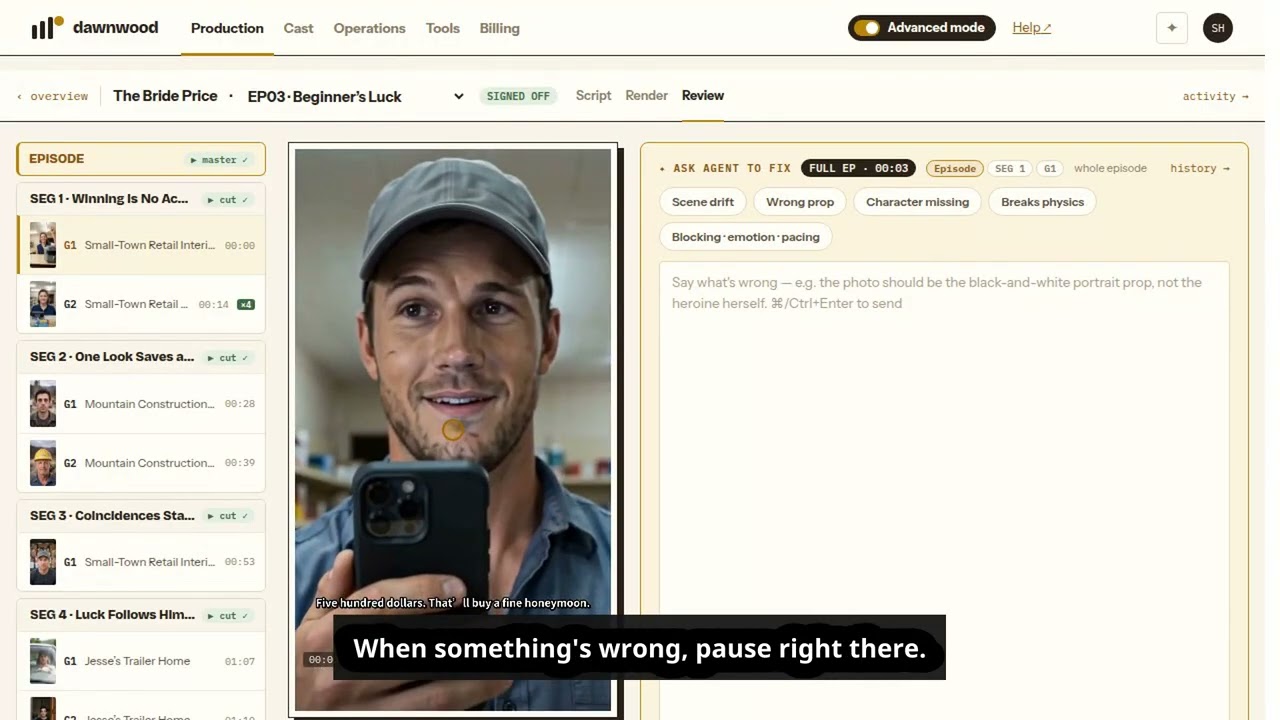
Let Dawnwood write and render the Seedance prompts for your story, free credits to start
Seedance 2.0 Fast, Mini, 2.0 and 2.5 over a ModelArk-compatible API, billed per output second, only for generations that succeed. Making a whole series instead of single clips? The same token can drive the full production pipeline.
Get an API keyModels and pricesOr start a series