In shortAI video models generate every clip from scratch, so the second shot of a scene rarely matches the last frame of the first: the room, the extras, the props in each hand and the blocking are all invented again. Cutting away hides it and first frames narrow it, but the fix that holds across a whole episode is video continuation: give the model the end of the previous clip and have it continue from there.
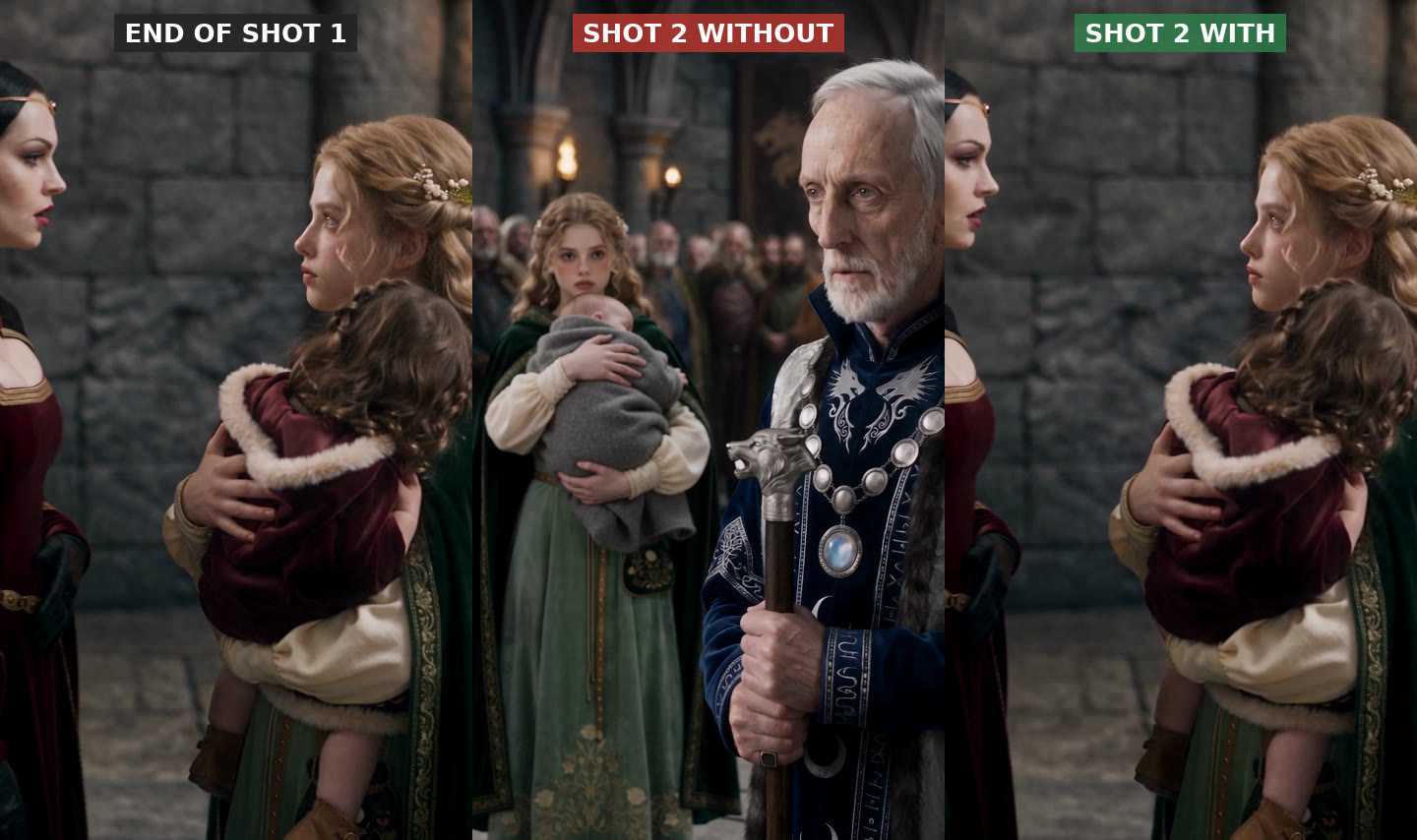
Why the next clip forgets the last one
A video model makes one clip at a time, usually 5 to 15 seconds. To make it, the model gets your text prompt and, if you give them, reference images of your characters and location. That is all it knows. It has never seen the clip you made a minute ago.
So every clip starts from a blank page. Character references keep faces close, and a location sheet keeps the walls roughly right, but everything that describes the moment is invented again:
- Who is in the room. Extras appear and disappear between two shots of the same conversation.
- What people are holding. A cup, a letter, a sword or a child changes, moves to the other hand or vanishes.
- Wardrobe details. Collars, cloaks, jewelry and hair go back to whatever the reference sheet showed, not what the last shot showed.
- Blocking. Two people standing face to face at the end of shot one are re-staged across the room at the start of shot two.
- Light and time of day. Evening light in one clip, flat daylight in the next.
In a vertical drama, where a scene is cut from many short clips, this shows up at every edit. Viewers forgive a lot, but a toddler who turns into a baby between two shots reads as a mistake.
Fixes that help, and where they stop
Write the state into every prompt. Say who is in frame, where each person stands, what each one holds and what they wear right now, not just who they are. This narrows the drift and costs nothing. It does not stop the model from inventing things you did not mention.
Use the last frame as the next first frame. Export the final frame of shot one and give it to the model as the start frame of shot two. The composition now matches at the cut. The motion does not: whatever was moving at the end of shot one restarts from a standstill, and the model only sees one still image, so it often shifts the color or the light within the first second.
Cut away to hide the change. Put a reaction shot, an insert or a different angle between two clips that do not match. Editors have done this forever, and it works, but it shapes your scene around the model's limits and adds shots you have to generate.
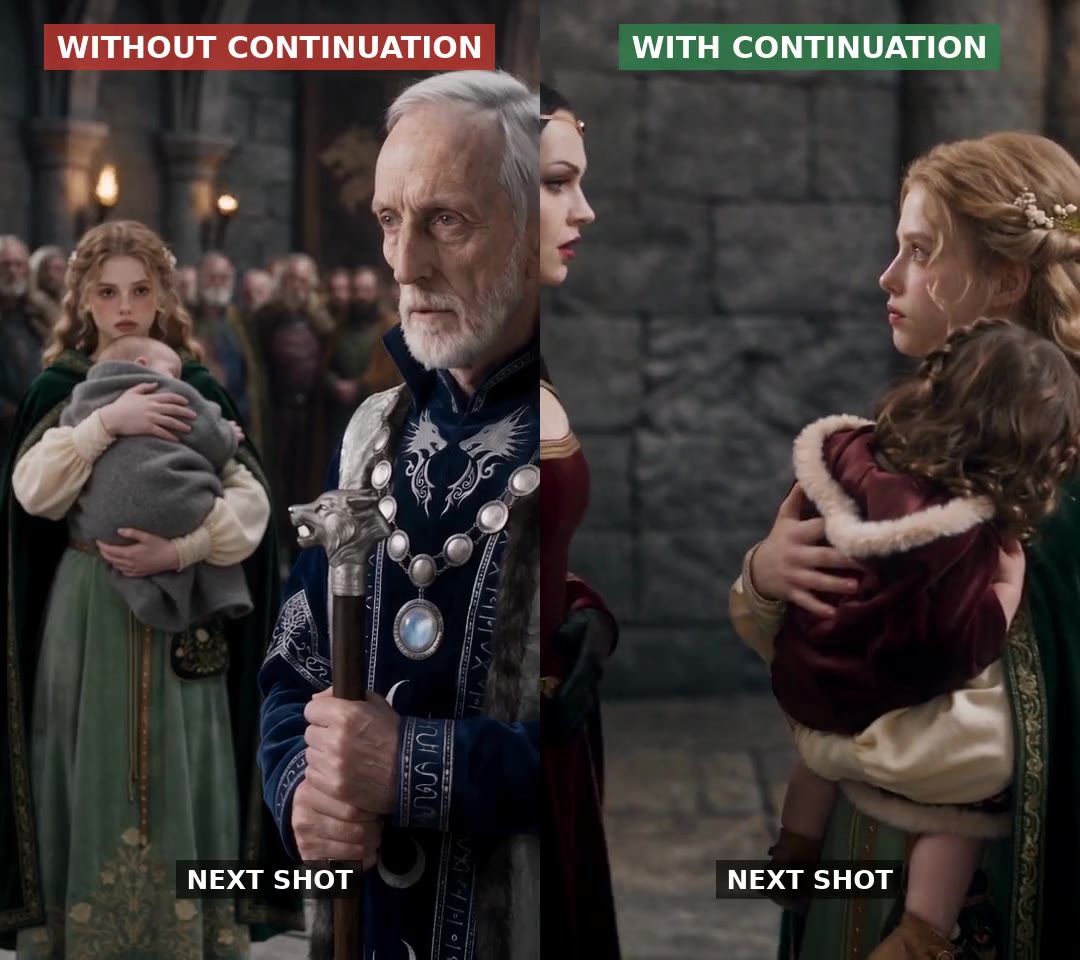
Continue the video itself. Some models can take a video as input and generate what happens next. Seedance 2.5 does this when you pass a clip as a reference video, and other models offer an extend option. Because the model sees the motion, the light and the staging in the last seconds of shot one, shot two opens on the same frame and keeps moving. This is the fix that holds across a whole scene.
How to use video continuation well
- Feed only the end of the previous clip. The last 5 to 8 seconds are enough. Input video usually counts toward the price, so a long clip costs more and does not help.
- Continue within a scene only. If the next shot is in another place or at another time, start it fresh from its references. Continuing would drag the old room into the new one.
- Skip over flashbacks. If a flashback sits between two shots of the present, continue the present from the shot before the flashback.
- Keep your character references in. Continuation carries the moment; references keep the faces locked over a long scene.
- Watch the last second you feed in. If the previous clip ends on a cutaway, the model may open the next clip with a cut too. End shots on the people you want to continue.
- Expect moderation on real-looking people. Some providers reject an input video that shows a photorealistic person unless the people in it come from an approved portrait library. If a continuation is refused, that is the usual reason.
How Dawnwood handles it
In a Dawnwood series rendered with Seedance 2.5, continuation is the default. Your storyboard already groups shots by scene. The first group of a scene renders from its references; every group after it, in the same place and time of day, is rendered as a continuation of the take you picked for the group before it. Flashbacks, new locations and groups that follow a shot template start fresh. Character references go through the portrait library, so faces hold and realistic people are not refused.
It costs nothing extra: you pay for the seconds the group renders at the normal rate. For a single clip outside a series, Model Studio has the same thing as two buttons: Extend this, and Fill gap between two clips. See the side-by-side test on the shot continuation page.
Questions
Why do my AI video clips not match between shots?
Each clip is generated on its own, from your prompt and references only. The model never sees the previous clip, so it invents the extras, props, wardrobe details, blocking and light again every time.
Is using the last frame as the first frame enough?
It fixes the composition at the cut but not the motion. Anything moving at the end of the first clip starts again from still, and the model often shifts the light in the first second. Feeding the end of the previous clip as video carries the motion as well.
Does video continuation cost more?
With most providers the input video is billed, so continuing from an 8-second clip costs more than generating from images. In Dawnwood the continuation input is not charged to you; you pay for the seconds you render.
When should I not continue from the previous shot?
When the next shot is in a different place or at a different time, after a hard scene change, or when the previous clip ends on something you do not want carried into the next one.
Make every shot in a scene continue the last one
Dawnwood's Auto mode turns a story told in a few lines into a vertical series. It writes the characters, the 10-episode outline and the scripts without spending credits, then films one episode at a time: you read the script and say go. Credits only go on art and filming, and each episode shows its cost before it starts.
Tell us your storyHow Auto mode works →