Short answerA group is the unit that renders, a segment is the unit that gets stitched, the episode is the unit you publish. Each render of a group produces a take; the cut plays the picked take. Stitching a segment and rebuilding the episode master happen on their own whenever a pick changes.
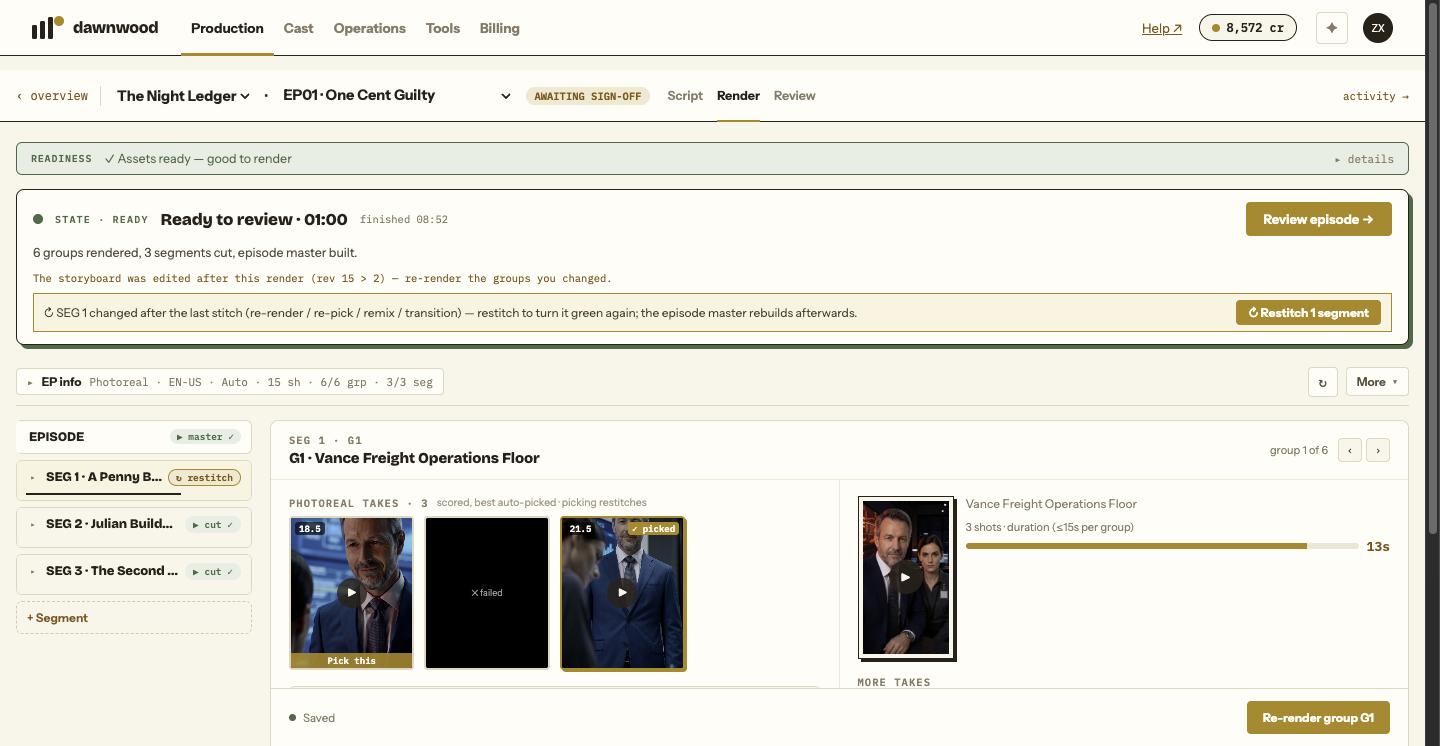
The hierarchy
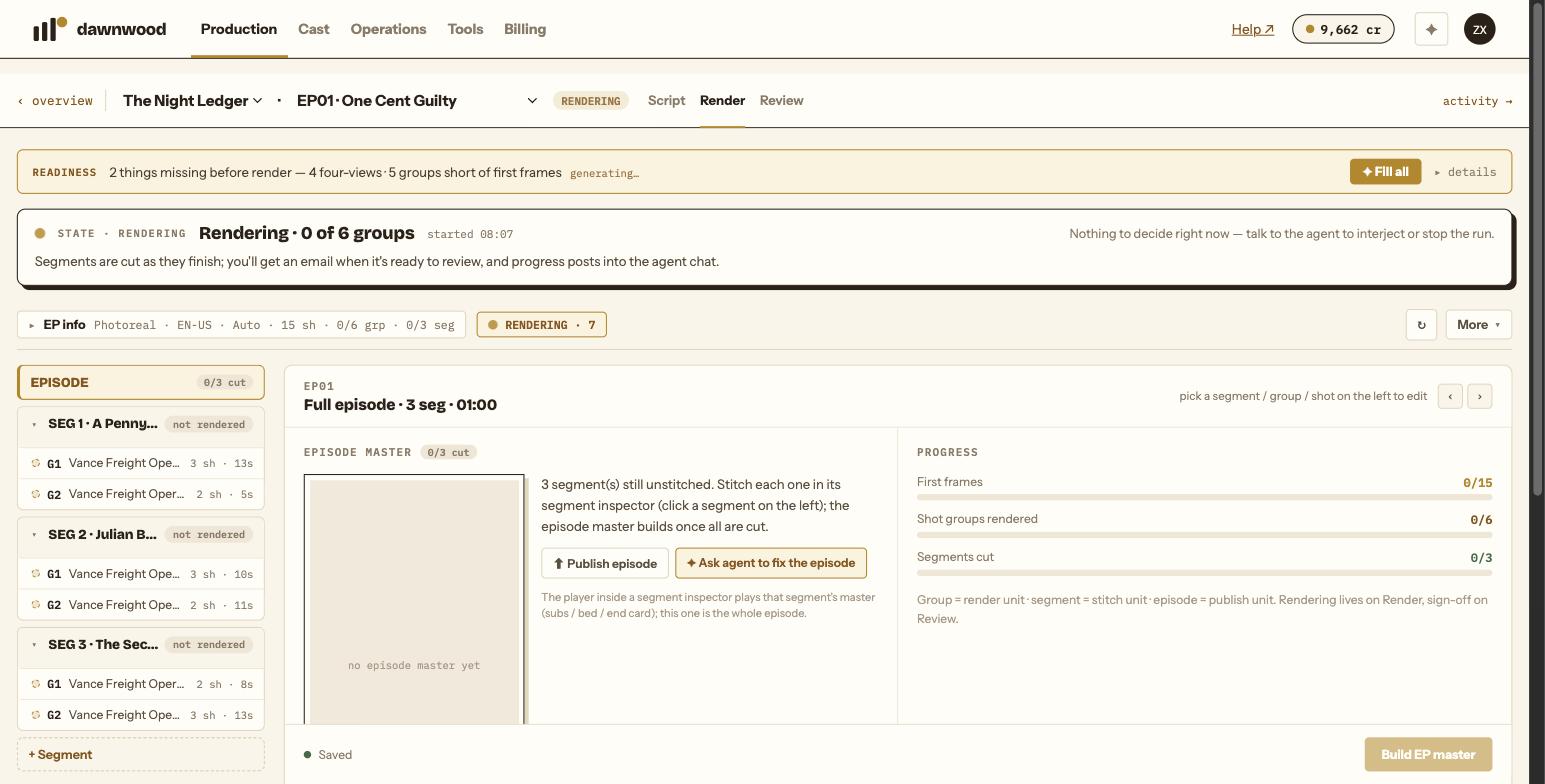
The Render page says it in one line: group = render unit, segment = stitch unit, episode = publish unit.
- Episode (
EP01): what you sign off and publish. - Segment (
SEG 1,SEG 2…): a run of consecutive groups that is stitched into one continuous cut, with subtitles. - Group (
G1,G2…): the unit sent to the video engine. Normal mode packs up to 15 seconds and at most four shots per group; a card turns red when it exceeds 15 seconds. Super mode renders 30-second long takes instead. - Shot (or beat): one line of the storyboard inside a group, with its description, dialogue, blocking and cast. Shots not yet in any group sit in an Ungrouped tray and do not render.
A group with no valid shots is skipped at render time; the Render page tells you which.
Takes
Every render of a group produces one candidate clip, a take. Re-rendering replaces nothing: the new take joins the group's pool, the whole pool is re-scored, and the best clean take is picked automatically. A pool starts at one take and tops out at five.
Some takes carry a badge saying how they were made: remix (each shot picked from the best take), retake (a local edit of some seconds), shot (one shot re-rendered on its own), edit (a clip returned from the editor). A still-shot composite also lives in the pool.
The group inspector on the Render page lists the takes when there are two or more, each with its quality, fidelity and fit scores, ✓ picked on the current one and Pick this on the others. Read why a re-render can look unchanged before you re-render to fix a pick.
Stitching a segment
When every group in a segment has a picked take, the segment is stitched into one cut. This happens automatically after a render, a re-pick, a remix or a transition. The segment pill shows cut ✓ when the cut is ready, stitching… while it runs, and ↻ restitch if a group changed after the last stitch and the automatic restitch has not happened yet; click it and wait about 30 seconds.
The episode master
Once every segment has a cut, the episode master is built: all segment cuts in order, then one mastering pass with burned subtitles, loudness, music bed and end card. The episode pill reads master ✓, master rebuilding… (about one to two minutes) or 3/4 cut while a segment is still missing.
Re-picking a take, re-rendering or re-stitching any segment invalidates the master and rebuilds it automatically. After sign-off, Re-master ↻ on the Review page re-burns the master with the current subtitle, end card and music settings without any render fee.
Still stuck? Email support@dawnwood.ai with your account email, the series, the episode and the segment or group — see what to include.