In shortTikTok Drama Center (drama.tiktok.com) is TikTok's business portal for short drama supply. A verified company uploads a finished series of 30 to 300 episodes; TikTok reviews it, subtitles it into 17 languages, posts it region by region, and pays monthly from a share of ad revenue, a share of in-app purchases and platform incentives. Below: who can join, specs, review, regions and money, from the help center and our three live series.
What we can and cannot tell you
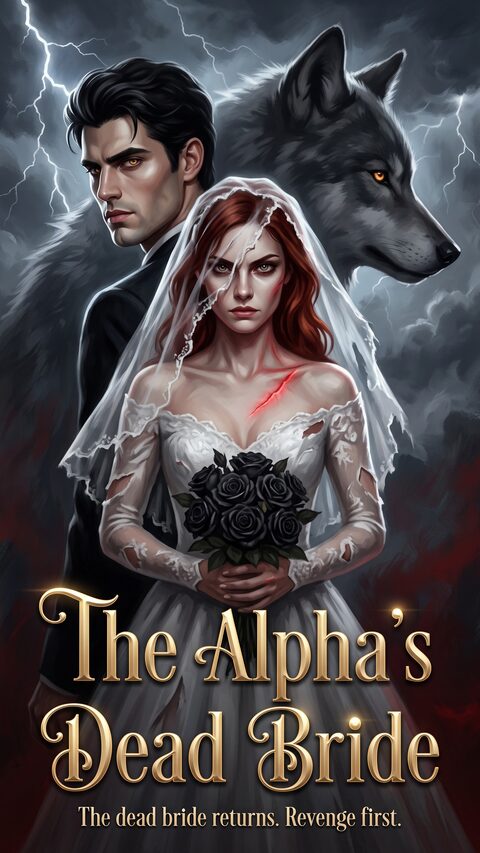
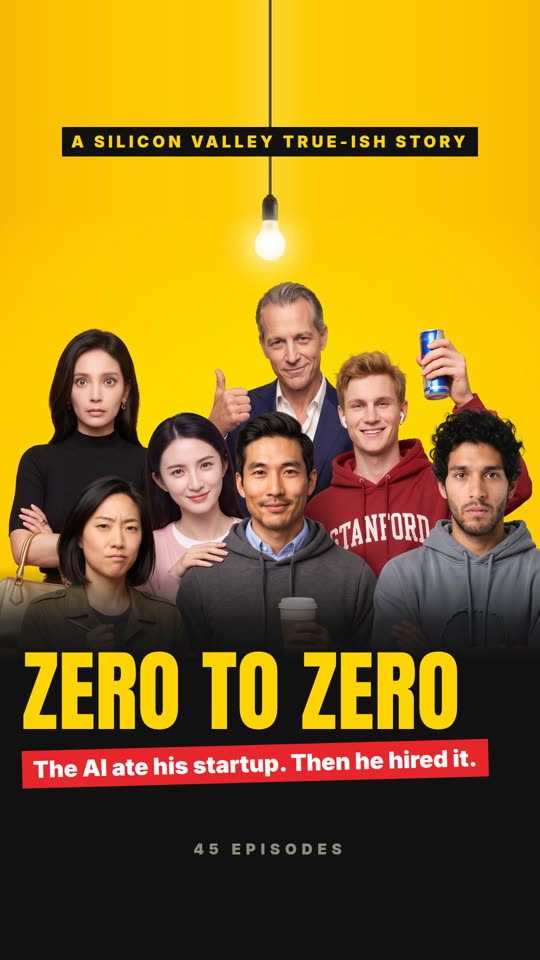
We are a studio that makes AI-produced vertical drama, and three of our series are live on TikTok Drama Center: The Alpha's Dead Bride, The Alpha's Bought Bride and Zero to Zero. This guide mixes two kinds of information, and we label which is which:
- Help center rule: what TikTok's own Drama Center help center said when we read it in November 2026 (upload guide, governance rules, settlement guide, operation manual, FAQs).
- Our observation: what happened to our own series between September and November 2026. It is one producer's experience, not a policy.
Nothing here is legal or platform policy advice. Drama Center changes often (several help pages were updated in late October 2026), and the platform's current terms and help center are the authority.
What TikTok Drama Center is
Drama Center is the supply side of TikTok's short drama business. It replaced an older portal at tiktok.com/content-partner, and producers now work at drama.tiktok.com. You are not posting videos to a creator account. You are delivering a finished series to TikTok as a business partner, under a signed contract, and TikTok handles the rest:
- Hosting and distribution. Episodes are posted to TikTok as a series with its own drama page, from posting accounts linked to your organization.
- Localization. The platform machine-translates subtitles into 17 languages (English, Indonesian, Portuguese, Japanese, Thai, Spanish, Korean, Vietnamese, Arabic, Traditional Chinese, French, German, Turkish, Malay, Italian, Burmese and Bengali) and dubs into five (Indonesian, Portuguese, Spanish, Thai and Vietnamese). You upload one language version; translated versions appear under your posting accounts on their own.
- Monetization. Revenue comes from in-app advertising (IAA), in-app purchases when episodes are paid (IAP), and platform incentives.
Who can join and what you need
Help center rule. Drama Center is for companies, not individuals. The onboarding order is fixed: register, create an organization, verify the business, submit vendor and payment information, sign a contract, and only then upload.
- Register. With an email address, or by logging in with a TikTok account and linking an email afterwards. If you want your TikTok account's email as the login, log in with TikTok first and link it; registering that email directly creates a separate account.
- Verify the business. The super admin uploads four documents: a business license or certificate of incorporation (with the English legal name, registration number and address), a government photo ID of the legal representative, a signed Letter of Authorization, and proof of address for the representative. Documents must be in color, legible and valid for at least 30 days. Review takes one to three business days.
- Vendor and bank details. The verified entity, the contracting entity, the vendor entity and the payee must be the same company. Bank accounts are accepted in a listed set of countries that includes the United States, Canada, the United Kingdom, Singapore, Japan and Hong Kong.
- Sign the contract. Either self-serve under Contract Management, or through a TikTok business representative if you have one.
Copyright materials come per series, at upload. You state whether you are the original rights holder; if not, you need the full chain of authorization back to the original holder. You then supply core materials (production or co-production agreements, a copyright registration) or supporting ones. For AI series the supporting list is practical: opening and closing credits with a rights notice, screenshots of the AI generation process, editing project files, and information about source files. Once approved, copyright materials cannot be changed, and missing or weak materials can lead to suspended settlement or removal.
Our observation. Keep the production record from the first day. Generation screenshots and project files are easy to save while you work and hard to reconstruct later.
Upload specs
Help center rule (as of November 2026):
| Item | Requirement |
|---|---|
| Episodes per series | 30 to 300 full episodes, not counting promotional materials |
| Episode length | 15 seconds to 20 minutes; the best-practice page recommends at least one minute |
| File | MP4 recommended, 5 MB to 4 GB per episode |
| Picture | 9:16 vertical preferred; 1080p or higher recommended; below 720p may hurt recommendation |
| Cover | 3:4, recommended 1024 x 1536 px, up to 10 MB, the original poster |
| Description | Up to 1,500 characters, in the source language |
| Genres | Up to 3 tags, plus a female or male target audience |
| Cast | Optional, up to 5 actors; the help center says it may help traffic |
| AI flag | Declare honestly whether the series is AI-generated; the platform reviews it and will switch it to Yes if it decides the content is AI |
| Source language | Ten are accepted; English source with English subtitles or dub is recommended for faster posting |
Two rules matter more than they look. The episode count is fixed once you submit, and you cannot delete a series or an episode afterwards; the only fix is to replace an episode file. And after you click Submit the series is locked until review finishes. Get the cast, description and episode order right before the first submit.
Our observation. Editing the basic information of a series that is already posted (adding cast, for example) and submitting it sends the whole series back into review, with editing locked again. On a series that is still waiting for a region to open, we chose not to risk that, so fill the cast on the first submission. In our uploads the platform also enforced a title limit of about 35 characters, and it uses each episode's first frame as that episode's cover, so the first second should be a clean, readable frame.
Review, and why series get rejected
Help center rule. After submission a series goes through copyright review, a video check, localization and content review, in that order. The video check covers music (background music must be in TikTok's licensed library, or you replace it) and content safety. If fewer than 10% of the episodes fail review, the series can still be posted, but distribution may suffer until you replace them. Appeals go through the TikTok app first; if an appeal is rejected, you fix and replace the episode.
The governance rules (October 2026) name the categories that get series rejected or restricted:
- Sexually suggestive content and intimacy involving coercion.
- Violent and graphic content, including detailed bullying and abuse.
- Low-quality production: crude sets and costumes, stiff acting, audio and video out of sync, and storylines mass-produced from repetitive scenes and templates. AI producers should read this one twice.
- Improper redirection: using the series to send viewers to other platforms or to advertise.
- Inappropriate characters and relationships: minors, or characters who look like minors, in intimate scenes; family or family-like romance; romance built on severe power imbalance.
The pre-production best-practice page is more specific, and some lines are aimed squarely at AI content:
- For AI-generated human-like characters, sexualized kissing and sexually allusive sounds, expressions or actions are prohibited, even where a comparable live-action scene would pass.
- Avoid genres where biological hierarchy decides mates and social roles; the page names Omegaverse.
- Do not romanticize forced marriage for money or status, captivity, stalking framed as protection, or cornering someone against a wall as passion.
- Incest and pseudo-incest, including step-siblings, are strictly prohibited.
- Make adult ages unambiguous in romance: no school uniforms or childlike styling.
- Do not use suicide as a plot twist. Subtitles must be accurate; the page warns that relying only on machine translation can produce low-quality results.
Our observation. Our first series needed five rounds of replacements before every flag cleared. The automatic checks reported problems only as code numbers: 4 for a dark band on one edge of the frame for about five seconds (night scenes and black end cards), 6 for watermarks and web addresses (our own URL on an end card counted, even for a fraction of a second), and 7 for subtitles too low or too wide. The first review took about five days, and no email arrived; you log in to see results. A story that passes review is not necessarily favored by recommendation, and nothing in the portal tells you which it is.
Our free Drama Center checker runs these checks on a season before upload; the help article explains each one.
Regions: released one at a time
Help center rule. Posting accounts can be in ten regions: the United States, Canada, Japan, Indonesia, Mexico, Brazil, Saudi Arabia, Egypt, Vietnam and Thailand. A series is posted per region from the account linked for that region.
Our observation (October to November 2026). Regions open separately, not all at once. Our first series went live everywhere. Our next two went live in Canada, Indonesia, Mexico and Brazil and then sat in Ready to Post for the United States, Japan, Vietnam, Thailand, Saudi Arabia and Egypt for three weeks and more. People who work with many Drama Center producers told us slow US review is common. Plan for it: if the US is your main audience, do not spend money promoting a series until it is actually posted there, or you will mostly buy views in the regions that opened first. Support tickets also close on their own if you do not reply quickly; answer the same day.
Main accounts, highlight accounts and Materials
Help center rule. Posting accounts come in two kinds, and the platform can create them for you (up to 5 main and 30 highlight accounts per region):
- Main accounts carry the full episodes and the derivative materials you upload.
- Highlight accounts receive highlight clips that TikTok's AI cuts from your series and posts automatically. You cannot post to them from Drama Center, but you can log in to the TikTok app with a one-time password and post or check data yourself.
Materials are the official channel for promotional clips: highlight compilations, trailers, plot recaps, behind-the-scenes. They must be MP4, 9:16, at least 1080p and 15 seconds to 20 minutes. You can choose to show each one on the profile or only in the recommendation feed, and the help center recommends foreign-language versions. Also: once a series is uploaded, do not build playlists or collections of it on your TikTok account, which the help center says can hurt the series.
Our observation. Clips of a Drama Center series posted from an ordinary TikTok account did not enter the recommendation pool for us, and TikTok attached a drama card pointing to the series. The same clip posted from our Drama Center main and highlight accounts got roughly ten times the views in a small November 2026 test. If a series is on Drama Center, put its promotional clips through Materials or the highlight accounts, keep them free of links and calls to visit other sites (that is improper redirection), and use your ordinary accounts for series that are not on Drama Center.
How the money works
Help center rule (settlement guide, October 2026):
- Earnings are your share of the in-app ad revenue (IAA) and in-app purchase revenue (IAP) your series generate under the contract, plus incentives for priority content such as locally produced series and new or trending titles. Incentive priorities can change.
- A statement for the previous month is generated each month. You download it, issue an invoice to the TikTok entity named in the settlement guide (a plain PDF invoice; the guide warns against a Mainland China VAT invoice), and submit it. There is a minimum amount below which you cannot invoice.
- Payout is made within 5 business days after the invoice is approved. Wrong bank details mean the money bounces back and you request payment again.
Hosting mode. When you create a series you choose free or paid (with at least one free preview episode and an expected full-series price in USD), but the help center recommends turning on Hosting Mode, which lets the platform decide the business model, including whether the series is free or paid, and adjust prices. Our three series run free and not hosted.
Ads. You can promote a Drama Center series with your own TikTok ads; ads that run on TikTok and lead to the series inside the app keep the revenue inside your Drama Center share. The help center (October 2026) also describes Growth Max Autopilot, shown in the portal as "$0 ads": you switch it on for a series, set a first-day ROI bid, and the platform picks promising series, makes the creatives and runs the ads. The help center says the platform pays the ad cost, losses are not deducted from your revenue, and it runs alongside any campaigns of your own.
Our observation. In November 2026 our series pages showed "$0 ads: Off" with no switch anywhere to turn it on, so Autopilot was not yet available on our account. Check your own series page rather than assuming it is live.
What we would do differently
- Fill everything on the first submit. Cast, description, genres and cover cannot be touched during review, and editing a posted series sends it back.
- Check the picture before upload. Dark edges, end cards with URLs and low subtitles caused every one of our early rejections, and each replacement round costs days.
- Pick stories that clear the best-practice page. It is published; read it before you write, not after review.
- Keep the provenance. Generation screenshots, project files and credits are the copyright materials an AI series is asked for.
- Plan promotion around regions. Release is per region and the US can lag by weeks.
- Use Materials for clips. Clips from an ordinary account are wasted on a Drama Center series.
Questions producers ask
Can an individual creator join TikTok Drama Center?
The onboarding requires business verification: a company registration document, a representative's ID, a letter of authorization and proof of address, and a contract signed by that company. As of November 2026 there is no individual creator route; an individual who wants a series there needs a company, or a licensing deal with a company that is already a partner.
Does TikTok Drama Center accept AI-generated short dramas?
Yes. The upload form has an AI short drama field with Original, Novel Licensing and Finished-Series Remake types, and all three of our series are AI-produced. Declare it honestly: the platform reviews the flag and changes it if it decides the content is AI. AI series face some stricter rules, especially on kissing and sexually allusive behavior.
How long does Drama Center review take?
Business verification takes one to three business days per the help center. Our first series review took about five days, with no email when it finished. Regional release can take much longer: two of our series waited three weeks and more for the United States after other regions opened.
How many episodes does a series need?
Between 30 and 300 full episodes, each 15 seconds to 20 minutes, with at least one minute recommended. The count is fixed when you submit, so finish the season first. Our guide on how many episodes and how long covers what the wider market expects.
How does Drama Center pay producers?
Monthly. You get a statement for the previous month made up of your ad revenue share, in-app purchase share and any platform incentives, then you submit an invoice. Payout follows within 5 business days of the invoice being approved.
Can I post clips of my Drama Center series on my own TikTok account?
You can, but in our experience they do not reach the recommendation feed and get a drama card attached instead. Upload clips as Materials in Drama Center, or post from the highlight accounts, and keep links to other sites out of them.

Check your season against Drama Center review before you upload
Dawnwood's Auto mode turns a story told in a few lines into a vertical series. It writes the characters, the 10-episode outline and the scripts without spending credits, then films one episode at a time: you read the script and say go. Credits only go on art and filming, and each episode shows its cost before it starts.
Tell us your storyHow Auto mode works →