Short answerA re-render adds a new take to the group's pool; the cut keeps playing whichever take is picked. If the scorer did not rank the new take ahead, or the group is on a per-shot remix, the old take stays selected. Open the group's takes and click Pick this on the one you want.
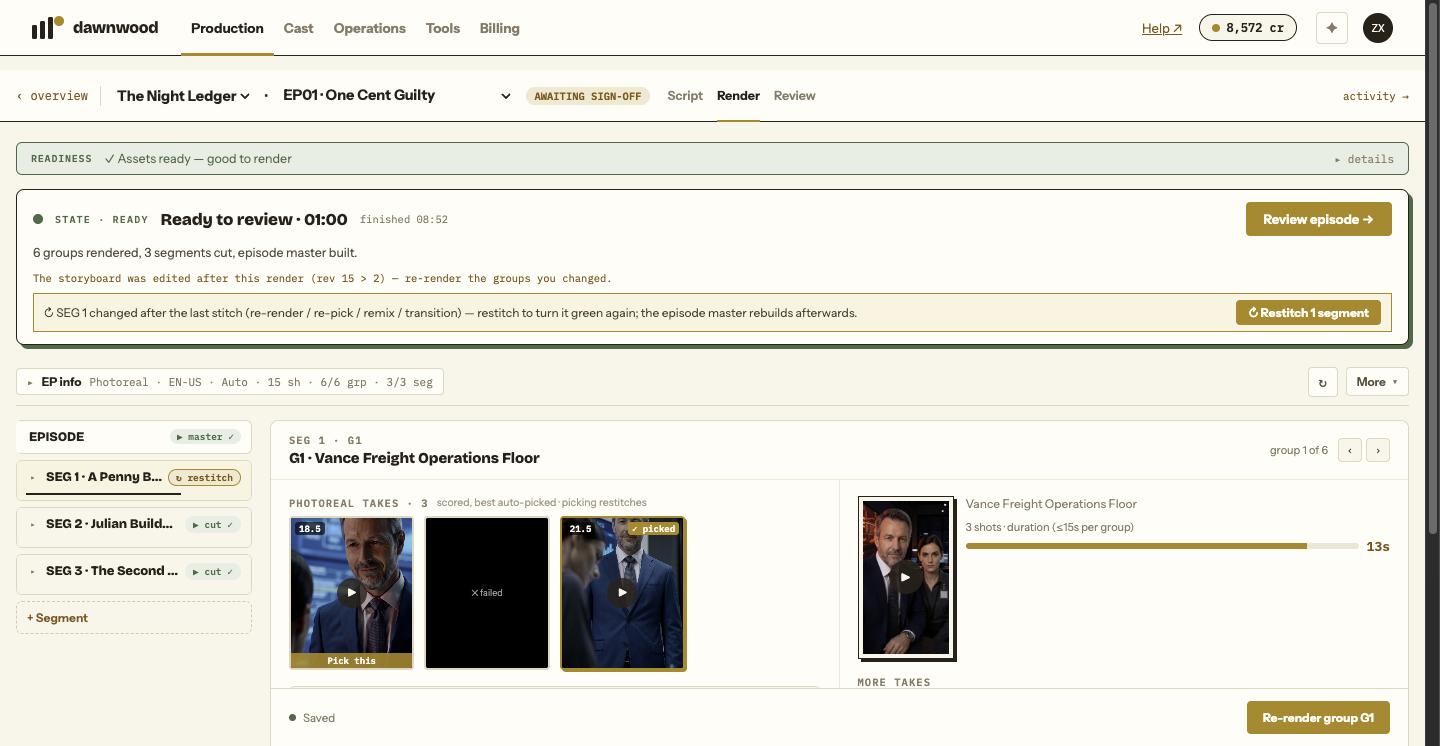
What a re-render actually does
Re-render replaces nothing. The new take joins the pool, every take is re-scored, and the pick is made automatically from the scores. The segment cut and the episode master are rebuilt from the picked take. So a re-render changes the video only if the new take is picked.
Two common reasons it is not:
- The scorer preferred the old take. Scores are quality, fidelity to the references and fit to the storyboard. A new take with a hard flaw (an extra limb, a swapped face, frozen frames) is excluded from auto-pick and marked ⛔ in the take list, however good it looks otherwise.
- The group is on a per-shot remix. A remix take is assembled shot by shot from several takes and carries no whole-take score, so a new whole take does not automatically displace it.
Check what is picked
On the Render page, select the group. The inspector lists Photoreal takes · N (or comic). The picked take shows ✓ picked; the others show a Pick this bar. Click a tile to play it in a lightbox before deciding.
Pick it yourself
Click Pick this. The group's clip switches, the segment restitches and the episode master rebuilds; nothing is re-rendered and nothing is charged. A manual pick never triggers further renders.
If the problem is inside one shot rather than the whole group, use the Per-shot remix grid instead: each shot column shows its versions across takes, and you can override one shot then click Re-remix.
When you asked the Line Producer
The agent only adopts a take that is not worse than the current pick. When its render came back and QC did not clear it, the chat shows the result with Rebuild group with this take so you can adopt it anyway, or Roll back to previous take after a merge you dislike. It will not silently swap in a worse take. See why the agent stops to ask.
Before rendering again
Rendering the same prompt again rolls the same dice. If the content is wrong (a missing person, the wrong action, the wrong prop), change the shot text first, or choose a cheaper route; see fixing a shot.
Still stuck? Email support@dawnwood.ai with your account email, the series, the episode and the segment or group — see what to include.