Short answerSign-off is your release decision. It locks the cut to the current storyboard, produces the publish cover, and unlocks packaging and publishing for that episode. You can withdraw it at any time to edit again; nothing is deleted.
Why it exists
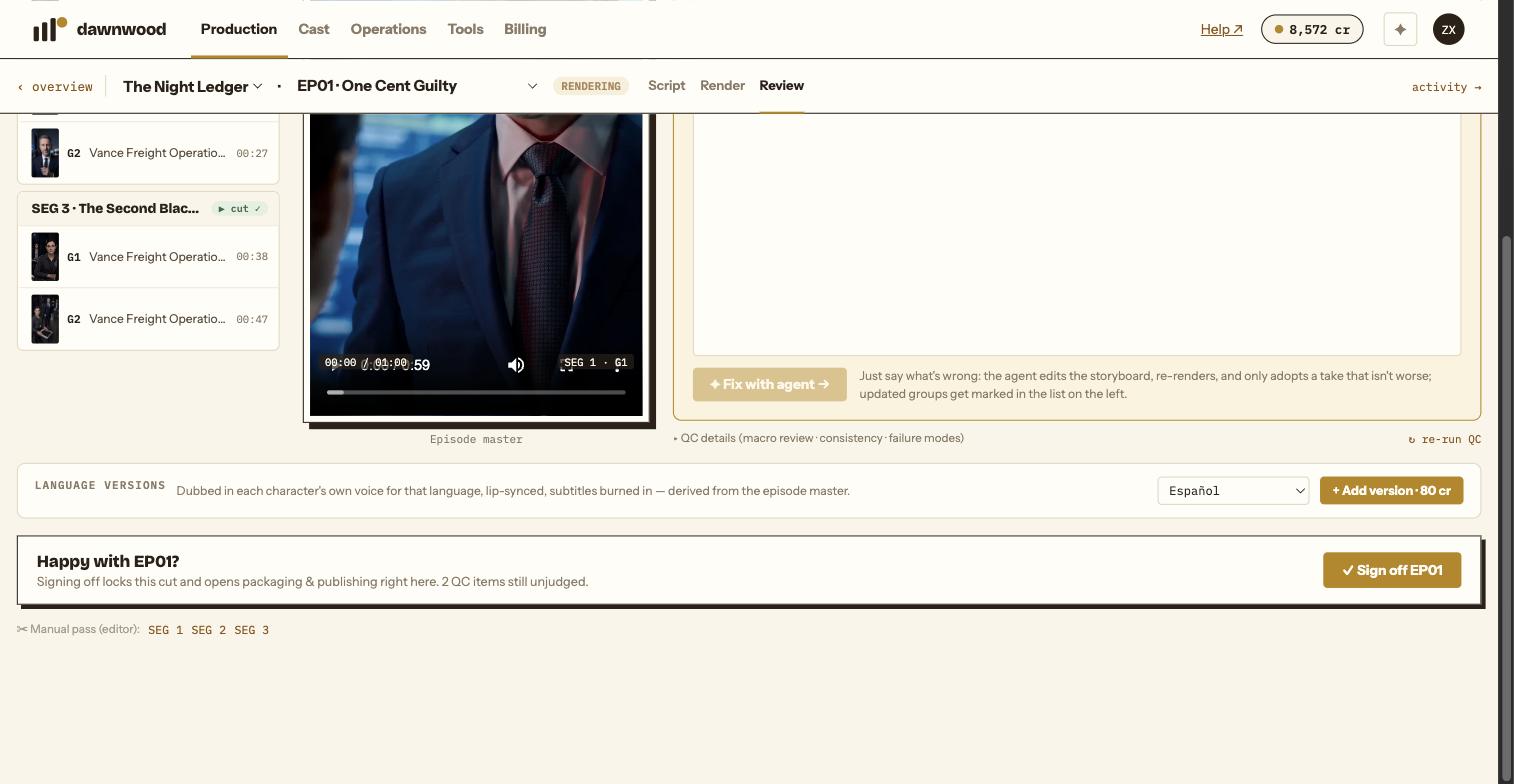
Machine QC passing is not a release. Publishing and delivery are gated on a human clicking ✓ Sign off EP01 on the Review page. The heading asks "Happy with EP01?" and the note says what follows: signing off locks this cut and opens packaging & publishing right here.
The button is disabled until the episode has a cut. Open QC items do not block it; they are counted next to the button so you look before you sign.
What happens when you sign
- The storyboard records who signed and when. The green bar reads "EP01 signed off · date · you" and "Master locked to this storyboard version".
- The episode cover is produced, billed as one art re-roll (5 cr). If it cannot be made, the sign-off still succeeds and the Episodes panel shows ⚠ cover failed with a regen cover link. See covers.
- The page expands into Delivery items (master, clean master without subtitles, SRT, cover, timeline render) with Build EP pack, and Publish · per episode. See publishing and downloading your files.
- If this was the last episode, you are offered to build the whole-series delivery pack.
Changing your mind
Click Withdraw in the green bar. The lock is removed and the storyboard can be edited again; the master, the takes and the cover all stay. Re-render or re-pick what you need, then sign off again. If you have already published, the published post is not recalled by withdrawing; republish after the new master is built.
Re-master after sign-off
Re-master ↻ re-burns the episode master with the current subtitle position, end card and music settings and re-grounds the cover from the footage. It takes one to two minutes and has no render fee.
Still stuck? Email support@dawnwood.ai with your account email, the series, the episode and the segment or group — see what to include.